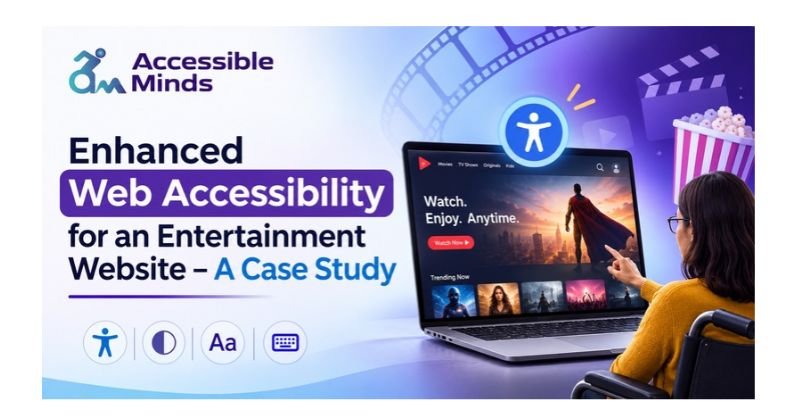
The entertainment industry has fundamentally changed the ways that people consume movies, view digital content, and have online experiences through ticket bookings. That being said, not every entertainment website allows for a user with disabilities to have an enjoyable experience on its platform.
Web accessibility ensures that everyone, regardless of their abilities, can access and interact with digital content. In this case study, we explore how an entertainment website can improve its digital accessibility through accessibility testing, inclusive design practices, and alignment with Web Content Accessibility Guidelines (WCAG).
By identifying common accessibility barriers and implementing practical solutions, entertainment businesses can create more inclusive digital experiences while improving website usability.
1. Understanding the Importance of Web Accessibility for Entertainment Websites
Entertainment websites offer various digital entertainment opportunities, like details on movies, streaming, events, trailers, and other features. But some users, especially people with disabilities, may find these features inaccessible if sites are not built in an accessible way. Web accessibility helps ensure that entertainment opportunities are not restricted by any kind of disability, it makes it possible for users with visual disability to navigate a site using a screen reader, people who are deaf or hard of hearing to view videos with captions, or any user with physical mobility disability to interact with a website using keyboard or some other assistive technology.
Why Digital Accessibility Matters in the Entertainment Industry
An accessible entertainment website grants users equal chance to access content, enjoy interactive digital experience, and also improves inclusiveness, usability, and accessibility standards of the site for companies.
How Accessibility Improves User Experience and Digital Inclusion
Making a website easier to navigate, and ensuring readable content and accessible controls (from the keyboard), will improve its usability for a wider range of users and benefit all kinds of users (including people with disabilities, and users accessing the website from different devices, including mobile phones and public computers).
2. Accessibility Challenges Faced by the Entertainment Website
Other than the textual content, sites connected to entertainment usually implement various multimedia features such as videos, interactive elements, promotional banners, etc. Although it can greatly raise levels of engagement, the usage of some of these features may lead to various accessibility problems for some users.
Some of the most important problems include the absence of captioning, lack of proper contrast of colors, inaccessible menu items, elements that are not controllable via a keyboard, and so on.
Missing Captions and Audio Descriptions
Videos without captions can create access barriers for people with disabilities. Similarly, a lack of audio descriptions will not make visual elements accessible to users with low or no vision.
Poor Keyboard Navigation and Website Structure
Some websites rely on mouse activity to interact with the menu system, buttons and other functions. It can be an issue to users who rely on keyboard only or on assistive technologies to navigate through sites and access content.
Low Color Contrast and Difficult-to-Read Content
The difficulty reading text because of low contrast with the background can create problems, especially for individuals with poor vision or colour deficiency. Additionally, poor font sizes and layouts affect readability of the content.
Inaccessible Forms and Interactive Elements
Ticket purchase forms, search fields, pull down menus, and interactive buttons can be unclear and/or lack accessibility to allow people to do things that are vital for the overall purpose of a website.
3. Conducting a Website Accessibility Audit
The first step to improve the accessibility of an entertainment website is to perform an accessibility audit. This type of audit helps to understand the barriers that prevent people with disabilities from accessing content or engaging with the features on the website. The audit should be based on WCAG 2.2 guidelines.
Evaluating Website Accessibility Against WCAG 2.2
The website needs to be examined based on the four principles of the WCAG (Perceivable, Operable, Understandable, and Robust—POUR). The purpose of these principles is to help ensure the accessibility of website content, usable navigation, easy-to-understand information, and working digital features.
Testing Screen Reader and Keyboard Compatibility
Manual testing helps determine whether users can navigate the website without a mouse. Screen reader testing also identifies problems with image descriptions, heading structures, form labels, and interactive elements.
Identifying Accessibility Issues Through Automated and Manual Testing
Accessibility testing can be done automatically using special tools, where a tool can find certain problems of an accessibility type (e.g. missing alt-text, contrast problems, errors in structure). However, manual accessibility testing is also essential as automated testing tools cannot identify all accessibility problems.
4. Accessibility Improvements Implemented on the Entertainment Website
Once the accessibility challenges have been identified, the next task is to enact changes that improve the usability and readability of the website. These changes should eliminate barriers in the website’s content, navigation, multimedia functionality, and any other interactive features.
Improving Website Navigation and Keyboard Accessibility
Navigation menus, buttons, and other interactive aspects of the website must all be available via keyboard functionality. Users must be able to navigate across key content areas within the website using their Tab and Enter keys. The user should know what element has been selected through the visible focus indicator on a keyboard.
Adding Captions and Audio Descriptions to Media Content
Many entertainment sites regularly upload videos, trailers, interviews, and promotional stuff to websites. Adding accurate captioning allows hearing impaired users to follow the content being presented in audio.
Enhancing Color Contrast and Text Readability
Enhancing foreground and background combinations helps to increase the ease of reading content on web pages. The color of text should satisfy the WCAG contrast standards. Users must also have the ability to enlarge text without affecting the functionality or losing essential content.
Improving Screen Reader Compatibility
Alternative text that adds meaning should be used in all images. Likewise, headings should be provided and arranged logically, as well as accessible names and labels for forms and buttons. All of these changes enable screen reader users to fully understand the content and functions of the web pages.
Making Interactive Elements and Forms Accessible
Search fields, booking forms, dropdown menus, and buttons should provide clear instructions and accessible labels. Error messages should explain what went wrong and how users can correct the issue.
5. Tools and Technologies Used for Accessibility Testing
Accessibility testing needs to be conducted both using automated tools and manual processes. Tools like WAVE, axe DevTools, and Google Lighthouse allow the discovery of common accessibility defects and the identification of points where the accessibility can be improved.
Manual testing can include using screen readers, keyboard navigation and accessibility features of the browser to obtain additional details about the user’s experience with accessibility issues.
Another point worth noting is continuous accessibility monitoring since website updates, new contents, or even some minor changes in the design of the website can potentially cause a new accessibility barrier for the users.
6. Results: How Enhanced Accessibility Improved the Website
Introducing accessibility enhancements can lead to a more inclusive and easier to use entertainment website. Enhancing keyboard accessibility will help users to reach the important website components, while adding captions and audio descriptions makes multimedia elements more accessible.
In addition, better color contrast, readable text, and compatibility of screen readers contribute to the improved user experience for people with various accessibility needs.
Moreover, the business angle can be discussed as a benefit of accessibility website implementation that leads to increased audience reach and usability.
When talking about a real case study, this can be shown through data such as the accessibility audit score, number of fixed issues, usability testing scores and user reviews.
Thus, actual before and after indicators give insight on actual change achieved.
7. Key Lessons from the Entertainment Website Accessibility Case Study
This case study demonstrates that web accessibility should be thought of as an activity that must be done continuously, rather than an activity that is completed once. The case study emphasizes the need for entertainment businesses to plan and integrate web accessibility into the planning and development of all aspects of their website design and functionality, from design and development through maintenance. Ongoing accessibility audits along with manual testing and user feedback can assist in addressing the issues before they turn into barriers to inclusion. Following WCAG guidelines and considering the needs of disabled users will allow entertainment businesses to offer users more inclusive experiences.
8. Conclusion
Advanced web accessibility enables entertainment websites to cater to a larger demographic and provide a more universal digital platform. With enhanced multimedia content, navigation that is keyboard-friendly, and compatibility with screen readers, every step in the process improves overall usability. Businesses should focus on accessibility audits, evaluation, and ongoing enhancements to minimize the existence of digital barriers. Want to make your website more accessible? Accessible Minds provides professional accessibility testing and solutions to help businesses identify accessibility barriers and create more inclusive digital experiences.
Frequently Asked Questions (FAQs)
Web accessibility for entertainment websites means designing and developing digital platforms so people with disabilities can access content, navigate pages, watch videos, and interact with features using assistive technologies.
Website accessibility ensures that people with different abilities can access entertainment content equally. It improves usability, supports digital inclusion, and helps businesses provide better online experiences to their audiences.
Entertainment websites can improve accessibility by adding video captions and audio descriptions, providing keyboard navigation, improving color contrast, using descriptive alternative text, and ensuring compatibility with screen readers.
Common accessibility issues include missing captions, poor color contrast, inaccessible navigation menus, missing image descriptions, unlabeled forms, and interactive elements that cannot be operated using a keyboard.
WCAG provides guidelines for making digital content perceivable, operable, understandable, and robust. Following these guidelines helps entertainment platforms identify and address accessibility barriers.
Popular accessibility testing tools include WAVE, axe DevTools, and Google Lighthouse. Manual testing using keyboard navigation and screen readers is also important for evaluating the actual user experience.
Accessibility audits identify barriers that make websites difficult to use. By addressing these issues, businesses can improve navigation, content readability, multimedia accessibility, and compatibility with assistive technologies.