The internet has become an essential part of everyday life. People use websites to shop online, access services, make payments, book appointments, and find important information. However, not every website is designed to accommodate people with disabilities. Many businesses unintentionally create digital barriers that prevent users from accessing their websites independently.
Web accessibility ensures that websites and digital platforms can be used by everyone, including people with visual, hearing, cognitive, and physical disabilities. In the United States, website accessibility has become an important consideration under the Americans with Disabilities Act (ADA). Inaccessible websites can expose businesses to complaints and legal challenges, particularly when they prevent people with disabilities from accessing goods and services.
Understanding common web accessibility barriers is the first step toward creating inclusive digital experiences. In this article, we explore five accessibility issues frequently raised in ADA website accessibility complaints and explain how businesses can address them.
Understanding the Connection Between Web Accessibility and ADA Lawsuits
The Americans with Disabilities Act, or ADA, is an American civil rights law that seeks to eliminate discrimination against people with disabilities. Title III of the ADA applies to companies that run businesses of public accommodation and mandates that these businesses provide equal access to their services and products.
As businesses start becoming more technologically savvy, the feature of website accessibility has grown increasingly important in discussions and lawsuits related to the ADA. As per the statement made by the U.S. Department of Justice, websites of businesses conducted for the public must be accessible to visitors with disabilities as well.
Although the ADA does not offer a checklist to determine website accessibility that remains universal for every single private business, the Web Content Accessibility Guidelines (WCAG) typically serve as a guideline for finding and solving accessibility issues.
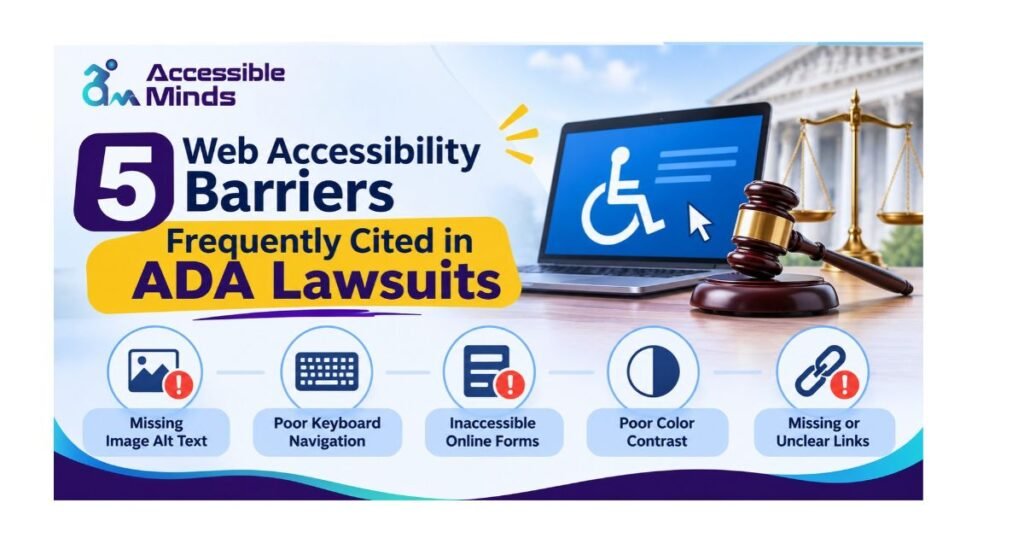
Some of the common examples of website inaccessibility issues include a lack of description of the images, the presence of usability issues related to keyboard navigation, and the use of forms that cannot be accessed by people with disabilities.
5 Web Accessibility Barriers Frequently Cited in ADA Lawsuits
1. Missing or Inaccurate Image Alt Text
Alt text, or alternative text, signifies the role of images displayed on the website. The significance of alt text lies in its contribution towards enabling the blind individuals to access visual data presented in websites.
Screen readers translate the visual information shown on the display into a speech format or braille, making it easy for the visually impaired to comprehend the information given on the website. Without it, screen reader users would have trouble understanding the message being conveyed by the website.
For instance, using images in online shopping websites without any alternative text may lead to confusion, since blind people will not be able to comprehend what product is involved and will therefore not be able to make any decisions on their purchases.
How businesses can fix this issue:
- Add meaningful alt text to informative images.
- Describe the purpose of functional images and icons.
- Use empty alt attributes for decorative images when appropriate.
- Avoid using generic descriptions such as “image” or “picture.”
- Test images with screen reader software.
Providing meaningful image descriptions improves the accessibility and usability of website content.
2. Poor Keyboard Navigation and Keyboard Traps
Not all individuals depend upon the mouse for website navigation purposes. Those with disabilities, problems with movement, or any other physical ailments and conditions may rely on keyboards and alternative input methods for accessing content on various sites. Keyboard accessibility means that a user can access elements on a website by employing keys such as Tab, Enter, Space, or arrows, wherever necessary.
The problem, however, comes up when a website is not designed with keyboard functionalities in mind, meaning that the menus, buttons, pop-ups, or any other elements of interaction are not accessible using a keyboard. Another common issue that arises in such instances is the keyboard trap which means that a user cannot leave an element and navigate away. A keyboard trap may also happen when a pop-up prevents the users from using a keyboard, giving them no other option when it comes to closing the new window.
How businesses can fix this issue:
- Ensure all interactive elements are keyboard accessible.
- Provide visible keyboard focus indicators.
- Make sure users can navigate menus and forms without a mouse.
- Avoid keyboard traps.
- Test the entire website using keyboard-only navigation.
Proper keyboard navigation makes websites easier to use for people with different physical abilities.
3. Inaccessible Online Forms and Missing Form Labels
Online forms are important for such processes as registering for an account, making an appointment, completing a request contact form, and doing online shopping. Nevertheless, badly-designed forms may cause great impediments to accessibility.
One widespread problem is lack of labels or incorrectly linked labels. Such a label absence may hinder a screen reading software user from knowing what information to insert into each of the fields.
Moreover, other problems can arise which include instructions that are not clear, CAPTCHA that is not accessible, messages that cannot be understood, and fields that are not accessible for a keyboard. For instance, in a registration form, input fields will lack labels that are connected properly leaving a screen reader user not knowing whether this field is to be filled out with a name, email, or telephone number.
How businesses can fix this issue:
- Provide clear and descriptive labels for every form field.
- Associate labels programmatically with their corresponding inputs.
- Include understandable instructions.
- Identify errors clearly and explain how to correct them.
- Ensure forms support keyboard navigation and screen readers.
- Provide accessible alternatives to CAPTCHA challenges.
Accessible forms help users complete important online activities independently and confidently.
4. Poor Color Contrast and Improper Use of Colors
Another important aspect of website accessibility is the contrast in color. The term refers to when text and its background have differing brightness levels. The lack of color contrast can render information difficult to read, especially for those who suffer from low vision or color vision problems. As an example, light grey writing on a white background may be hard to read for many individuals, or using only red and green color to relay information can present challenges to the color-blind. Under the WCAG 2.2 Level AA, normal text on a page should have a contrast ratio of at least 4.5:1, and large text should have at least 3:1.
How businesses can fix this issue:
- Maintain appropriate text-to-background contrast.
- Use accessible color combinations.
- Avoid communicating information through color alone.
- Make buttons and interactive elements visually distinguishable.
- Test color contrast using accessibility evaluation tools.
Good color contrast improves readability and creates a better browsing experience for all users.
5. Missing or Inaccessible Links and Unclear Link Text
Links assist website users in navigating different pages, accessing materials, and obtaining other information. However, if links are not designed correctly, they may cause accessibility issues, especially for screen reader users.
A key problem is the use of unclear link descriptions. For instance, often simple descriptions like “Click Here,” “Read More,” or “Learn More” are used without enough context.
Screen reader users typically navigate the web by reading the list of links. When numerous links are not distinguishable, it becomes hard to identify where a certain link leads.
Among the other issues are empty links, links that do not have an accessible name, or links that can be navigated through a keyboard. For instance, the website may have several links that say “Read More.” This makes it hard for the users to understand where to go.
How businesses can fix this issue:
- Use descriptive and meaningful link text.
- Clearly communicate the purpose of each link.
- Avoid empty or inaccessible hyperlinks.
- Ensure links are keyboard accessible.
- Provide appropriate accessible names for linked images and icons.
Descriptive links improve website navigation and help users understand the purpose of every clickable element.
How Businesses Can Reduce Website Accessibility Risks
The process of recognizing accessibility obstacles is critical in creating an accessible website. Businesses need to follow a proactive strategy rather than waiting for accessibility grievances or lawsuits to arise. Below are some helpful guidelines that organizations can utilize to accomplish the task.
1. Conduct Regular Website Accessibility Audits
Perform accessibility audits to identify issues affecting website usability. Evaluate important pages, navigation menus, forms, images, and interactive elements.
2. Follow WCAG Accessibility Guidelines
Use the Web Content Accessibility Guidelines as a technical reference for improving website accessibility. WCAG provides recommendations based on four principles: Perceivable, Operable, Understandable, and Robust (POUR).
3. Combine Automated and Manual Testing
Automated accessibility tools can identify many technical issues, but they cannot detect every accessibility problem. Combine automated scanning with manual testing, keyboard navigation checks, and screen reader evaluations.
4. Monitor and Fix Accessibility Issues Continuously
Website accessibility is a never-ending task. Regularly check new content, website changes, plug-ins, and interactive features to spot barriers before they put off visitors.
Another option would be for companies to engage the help of experienced professionals to locate problems and implement useful changes.
Build an Accessible Website and Improve ADA Readiness
Accessibility of websites is more than a mere technical requirement; it is an important aspect of establishing equal opportunities online. Absence of alternative texts, issues with keyboard navigation, forms that cannot be accessed, poor contrast between colors, and links that cannot be interpreted can make it difficult for people with disabilities to use websites properly.
Companies must emphasize accessibility testing and improvement efforts in order to provide online experiences that are more inclusive for users.
At Accessible Minds, we help organizations identify digital accessibility barriers and improve website usability through professional accessibility solutions.
Explore our Accessibility Testing Services and Digital Accessibility Services to take the next step toward a more accessible digital experience.
Make your website more inclusive, improve usability, and help ensure that everyone can access your digital content.