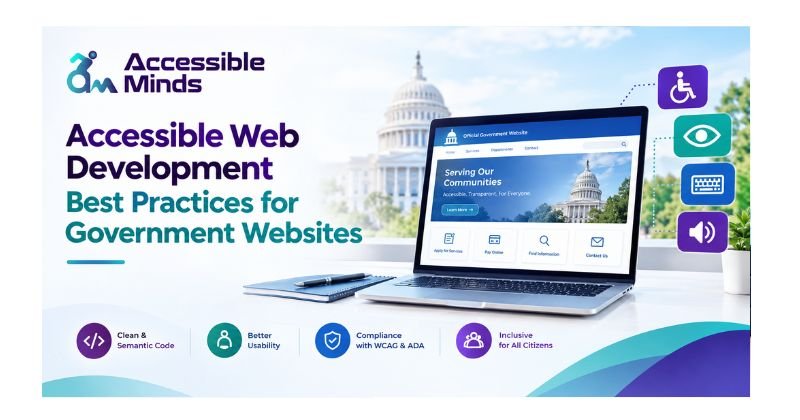
Government websites are essential for citizens to access schemes, apply for services, download documents, submit applications, make payments, and find public information. Following accessible web development best practices for Government helps ensure these digital services are inclusive, easy to navigate, and usable by people with different abilities, devices, and levels of digital experience.
The purpose of accessible web development for government websites is to remove barriers that make it difficult or impossible for people with various physical, sensory, cognitive and neurological disabilities. At Accessible Minds, accessibility is part of practical and more usable website creation that allows individuals to use your site freely without feeling excluded.
Web development for accessibility can also help elderly users, people with a temporary disability, users also dial-up connections and anyone who is dependent on assistance technologies like screen reader and keyboard navigation.
What Is Accessible Web Development?
Accessible web development involves the making of websites that can be understood, accessed and interacted with effectively by people who have different levels of skills. In the case of public sector websites, accessibility can include compatibility with screen readers, keyboard navigation, legibility of text, contrasts in colors, captions in video materials, descriptive links, accessible forms, and clear layout of pages. It must be noted that the issue of accessibility needs to be taken into account from the very beginning of the website development process at
Accessible Minds rather than being dealt with on the site when it is finished. Implementing accessibility into the designing, developing, testing and maintaining phases of developing a website helps deliver the best experience to users.
Why Government Websites Need Accessibility
The websites run by the government reach a broad and varied audience. The uses of the digital services employed can differ quite a lot. While some people may work with a mouse, others may work with a keyboard, a screen reader, voice functions, or zooming. If a website is not friendly enough, many people will find it hard or impossible to do what they need to do.
For instance, if an online application cannot be filled in with the help of a keyboard, a user who is unable to use a mouse will not manage to fill it in. Following the recommendations on web accessibility will help cut the problems down. Making websites accessible can improve the overall user experience because of a number of usable features.
Follow WCAG Guidelines
The Web Content Accessibility Guidelines, known as the WCAG, is an important guideline for making websites accessible to everyone. This guideline is followed in developing web content and it provides the recommendations for all means of improving accessibility for any website. These guidelines are developed around four principles that are crucial in making a website accessible – it should be perceivable and operable, understandable and robust.
The principles of WCAG form a solid foundation for development of any e-service, especially when we talk about government websites, where such e-services need to be usable for any device and various assistive technologies. Still, government institutions need to take into account their region and local requirements in the terms of accessibility standards.
Accessible Minds is, however, known for making accessibility considerations part of any development process, so that accessibility is taken into account when designing e-services, i.e. functionality, performance and usability.
Create Simple and Clear Navigation
A government website can have hundreds or thousands of pages. The navigation must be crystal clear, otherwise users will find it hard to search whether they can get the services or information they want. This is why navigation items need to be simple and descriptive, information should fall into the right categories, and core services need to be easy to find. The use of breadcrumbs, a search option, descriptive page titles, and uniform menus help make navigating the web easier.
Make Websites Keyboard Accessible
Keyboard accessibility is one of the crucial aspects of government website accessibility requirements. There are users who do not find it possible to use a mouse and use the keyboard controls instead or other tools for input. So, every interactive element must be accessible by keyboard. The users must navigate between links, buttons, menus, form fields, and anything else that is interactive. Developers at Accessible Minds can examine important website features without the use of a mouse and find keyboard accessibility issues.
Use Proper HTML Structure
Keyboard accessibility is a crucial part of government website accessibility requirements, ensuring that people who cannot use a mouse can still navigate and interact with digital services effectively. Every interactive element, including links, buttons, menus, forms, and other controls, should be accessible using keyboard commands.
As part of its digital accessibility services, Accessible Minds can evaluate government websites to identify keyboard accessibility issues and ensure key features can be accessed without relying on a mouse. This helps create more inclusive digital experiences while supporting accessibility requirements and making government websites easier to use for people with different accessibility needs.
Build Accessible Government Forms
The proper form usage is particularly significant with government websites since most public services now depend on internet based application arrangements. Every field must have a complementary label, with an appropriate description of the data that it requires to populate. Give a proper description of the problem and what users must do to fix it in error messages.
Be careful not to indicate accessibility problems just with a colour. For example — just having a red outline surrounding incorrect fields may not be sufficient for everyone. In accessibility-compliant forms just like any good user-friendly form, the tab order must be proper so as to maintain the data entered by users in the system for subsequent processing.
Improve Color Contrast and Visual Design
Possessing a good design is also very crucial in making a website accessible. For readability purposes, the text content should be contrasted well enough with the background.
Information should not be conveyed through color only. If color is used to show required fields, warnings, or mistakes, then additional text must be present. Web pages must be capable of text resizing in order not to limit access to important information or features.
Moreover, responsive designs are necessary to make the government website accessible on the phones, tablets, and PCs.
Add Alternative Text to Images
Pictures on official government pages ought to be meaningful and easy for the public to see. Informative images need to include an alternate text that gives an explanation on the purpose of the image being significant. Decorative images can generally be distinguished which leads assistive technology to skip over these images. If an image possesses important guidance or information this piece of information needs to be written down, rather than be presented in the image only.
Make Videos and Audio Accessible
Government authorities are increasingly using audio and video materials to provide explanations regarding the delivery of services, policies, programs, key messages and application processes. All audio messages need to have captions when multimedia materials are produced. Besides spoken information, which can be complemented with written working material. If a relevant message is captured visually, then it should be narrated properly, and if proper narration is not possible, then a different narration must be provided easily.
Optimize Website Performance
The performance is tied to the usability of a website. Government websites are supposed to be used by individuals who own an older device, have a slow connection, or experience bandwidth limitations.
There are several methods which could help achieve good performance. These include using file compression, coding efficiently, caching, and avoiding unnecessary scripts on a website. Another thing to make a website faster is to minimize animations, playing videos automatically and having the moving content provided with controllable features.
Test with Assistive Technologies
The performance is tied to the usability of a website. Government websites are supposed to be used by individuals who own an older device, have a slow connection, or experience bandwidth limitations.
There are several methods which could help achieve good performance. These include using file compression, coding efficiently, caching, and avoiding unnecessary scripts on a website. Another thing to make a website faster is to minimize animations, playing videos automatically and having the moving content provided with controllable features.
Maintain Accessibility After Launch
Accessibility involves more than just creating a government website. The creation of new pages, documents, forms, videos, and features may result in fresh accessibility challenges.
Government staff can ensure that designers, developers, content writers, and site management teams all adhere to accessibility principles. The process of continuous audits and training can keep accessibility under control. Accessible Minds help to ensure accessibility aligns with the design process so that it is a permanent concern, rather than a finished project.
Conclusion
Accessible techniques in web creation are crucial in the delivery of digital public services to a larger population. Efficient navigation, keyboard-supportive nature of a website, using of structural HTML elements, accessibility of forms, good contrast of colors, use of alt text for images, easy access to multimedia, responsive design, optimization of site performance, as well as continuous testing are all of importance for making webpages easily accessible.
Accessible Minds believes that accessibility must be considered as an integral part of the development of the site. Starting from the planning phase of website creation, there must be ensured that all the stages of testing and maintenance provide the necessary level of accessibility.
Accessible site development can lead to websites that can be comprehended easily, navigated, as well as operated. Websites of government organizations can use the principles of WCAG, effective methods for site development, testing with the assistance of special devices and continuous enhancements.