
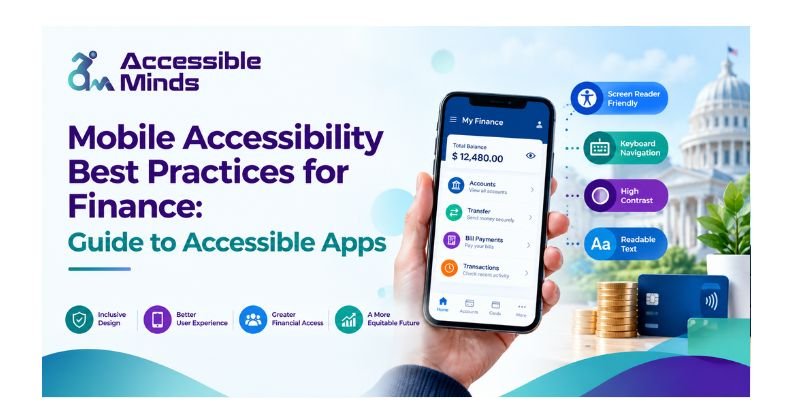
You are learned on data till October 2023 With the boom of banking and finance applications alter how a lot people manage money. Smartphones enable customers to directly check account balances, transfer funds, use bill pay, apply for financial products and view recent transactions and investment management. But these services are only really useful when they can be accessed and run by everyone.
The definition of mobile accessibility for finance is that you train people with disabilities, especially those who have visual, hearing, motor, cognitive and neurological problems to use financial applications. The same goes for financial institutions; accessibility isn’t just about getting to the design stage. It is an integral part of ensuring digital services are inclusive, and that financial activities essential to human life and dignity have no unnecessary barriers.
Accessible Minds works with organizations to increase their knowledge of digital accessibility, which is necessary for creating websites and mobile applications that are inclusive. In this guide, we briefly delve into some of the top guidelines and mobile accessibility best practices for finance and discuss how financial organizations can quickly build accessible apps.
Why Mobile Accessibility Matters in Finance
Finances applications provide access to some of the most essential information and features for users. Customers often need to perform activities like moving out money, placing their cards on hold, checking payments, or obtaining important notifications regarding their accounts promptly.
In case screen readers are not able to find buttons, text readability is insufficient, or if authentication involves a series of specific movements, clients with disabilities may face problems while trying to perform fundamental financial operations independently. Mobile apps offering features for accessibility will ensure the best experience for various types of users while also allowing financial organizations to prove their readiness to deliver accessible digital services.
Follow Recognized Accessibility Standards
Your accessibility strategy should be based on known rules of accessibility — not simply your design preferences. WCAG — The Universal Guidelines for Web Content Accessibility WCAG was initially developed for the web only; however, despite its original target — mainly web content — its precepts can also apply to mobile application accessibility. Financial firms must incorporate accessibility throughout the application life cycle — from planning to development, testing, deployment and maintenance (in addition to UX design). Looking to proven accessibility principles helps in constructing a uniform method for recognizing challenges and enhancing the customer experience.
Design for Screen Reader Users
A great number of people who suffer from visual impairments resort to the use of screen readers to operate their mobile applications. The functioning of screen readers implies that various interface components become speech or any other type of output. As far as financial applications are concerned, it is vital to guarantee that control elements possess relevant and significant accessible names that are understandable independently from their visual representation.
To illustrate it, when there is an icon presenting a magnifying glass, it should possess an accessible name that clearly states its function, for instance, “Search” instead of announcing this icon as “an unlabeled button.” Furthermore, the fields should have clear labels to provide users with the necessary information on the data they are entering in there, be it account number, card number, or any other type of information.
Make Text Readable and Scalable
Financial apps normally provide key details, including statement balances, transaction descriptions, interest rates and terms, and payment amounts. Mobile app accessibility ensures that this important financial information is easy to read, understand, and use for everyone, including people with disabilities. The application should use readable text, and all interface elements should remain functional when users increase text size or enable accessibility features. Interfaces should not become difficult or unusable when the text is enlarged or when assistive technologies are activated.
Color contrast is also an important part of mobile app accessibility. Text should remain clearly legible against its background for users with low vision or color blindness. Color should never be used as the only way to communicate information. For example, instead of indicating a failed transaction only with the color red, the application should clearly display a message such as “Payment failed.” This approach helps ensure that important financial information and transaction statuses remain understandable and accessible to all users.
Create Accessible Financial Forms
In most financial applications, forms are the critical pieces. Users can do various operations, such as add beneficiaries, transfer funds, borrow money, change personal information about them or pay money via forms. Every field on a form should be labeled uniquely, and each unique label corresponds to some aspect of the functionality of the database. Also, the instruction should be comprehensible. Users must know when one or more data are missing or incorrect. The error should mention the reason that has led to it and should also provide resolutions.
In the case of an account number not being complete, the user-friendly application would inform you that it was wrong data and show you expected values rather than just showing random string as ‘wrong data’
Make Authentication Accessible
Security is critical for financial applications; however, authentication methods pose an accessibility challenge if not conceived with all possible users in mind. Authentication methods, such as multi-factor authentication, one-time passwords, biometric authentication, security questions, and verification codes should be offered in forms that are usable by all potential users.
Users who cannot use a particular authentication option should be provided with a different option, as long as this is allowed by the security requirements. Moreover, it is particularly important to make verification codes available in a screen reader-friendly way. Attention should also be paid to the limitations of time since certain users may need extra time in order to complete the authentication process. Accessibility and security must work together so that accessibility is treated as something that should be incorporated while developing security features.
Avoid Gesture-Only Interactions
Certain mobile applications depend upon swiping, dragging, pinching and other gestures. Although gestures can be very helpful, they cannot be the only option for performing important transactions. For example, in case money transfer requires a certain swipe gesture, there must also be an accessible alternative with a possibility to perform the same action by means of a simple button or other feature that is available. This is especially important for people with movement disabilities who may find it hard to carry out precise gestures.
Provide Clear Feedback and Status Messages
Users must be told what happens when they do an action. When a user can pay or transfer money, for example, the app should communicate whether it was successful, whether it failed to do so or if something is still in process. Assistive technologies should also be alerted with respect to the status, and must not only rely on visual changes.
However, for example, showing only a green tick may not suffice. The app also needs to show a different message that will be relevant, e.g. ‘Successful transfer’.
Make Notifications Accessible
Regularly, financial apps provide alerts about payments, unusual activities, modifications made to an account, and updates regarding transactions. The notifications have to be straightforward and simple for individuals utilizing assistive technologies. Important notifications should be independent of color, sound, and vibration. Wherever possible, the subject should be addressed in accessible language through correct texting. There should also be enough control over unimportant notifications so that they do not create cognitive or any accessibility problems.
Test With Real Users and Assistive Technologies
Although automated accessibility testing can recognize numerous technical problems, it may not be able to detect each usability gap. Therefore, it is best practice for financial services institutions to pair automated evaluation with manual accessibility evaluations and testing with assistive technology (like screen readers or special keyboards) in order to comprehensively understand accessibility barriers. Testing with people living with disabilities can provide invaluable insight into accessibility challenges that cannot be detected through automated testing. Accessibility testing needs to take place at all stages of the development process rather than just at the end of the process.
Consider Accessibility Throughout the App Lifecycle
Mobile accessibility must not be regarded as a one-time endeavor at all. The applications are constantly changing as the financial organizations introduce new features, update screens, modify processes, and apply new authentication processes, which means that the functionalities already in place may become unavailable due to changes in design or development. In this regard, organizations must integrate available accessibility requirements into their design systems, development processes, quality assurance procedures, procurement decisions, and release testing. Moreover, teams must keep documentation of accessibility issues and develop their troubleshooting procedures.
Conclusion
Mobile accessibility best practices for finance refers to the principles that enable you to design financial applications so that people with certain disabilities can use them independently and for confidence. Future accessible financial apps should offer content that meets accessibility standards, readable screen-reader labels, complex forms that are friendly and easy to read, understandable error messages with constructive feedback, flexible authentication with visual clarity on private data collection in layman’s terms, effective alternatives other than swipe gestures, and clear status information expanded further in our next communication.
But accessibility should be more than just individual component implementation. It should no longer be an isolated process of just testing an idea in a lab space. Financial organizations can transform their customer experience by reducing these digital barriers through a combination of known accessibility standards, inclusive design practices, technical testing, manual reviews and real user feedback. Accessible Minds can assist with the accessibility evaluation and usability testing of financial websites and mobile applications for your organization in order to develop strategies that foster inclusive digital experiences.