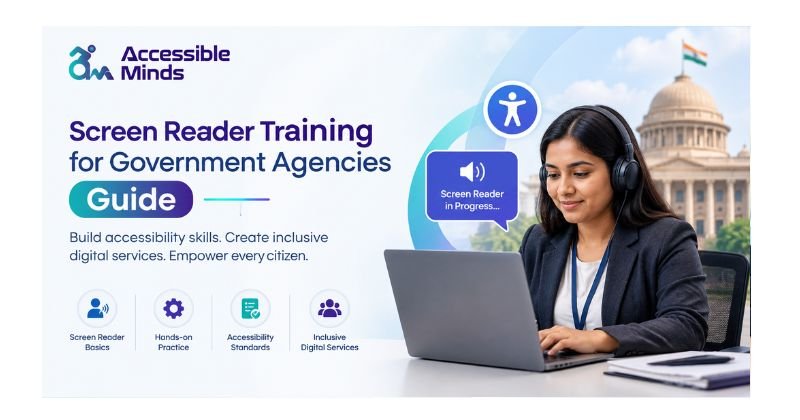
Government agencies use various technology platforms to deliver public services, including websites, mobile applications, online forms, and digital documents. Screen reader training for government agencies helps employees understand how people who are blind or have visual disabilities access digital information independently, enabling agencies to improve accessibility and provide more inclusive online services.
Of course, screen readers are just one element of accessibility and the availability of a screenreader does not guarantee any particular government website or digital service will be accessible. There was a need for all government workers, web teams, content creators and IT staff to understand how screen readers function with digital content, and what accessibility barriers were preventing users from doing their jobs.
That is what screen reader training for government agencies comes in. Training properly readies government folks to understand digital accessibility, identify familiar hurdles and use materials that are fit for purpose to create genuine experiences in the online environment so all citizens can leverage the Web in their own way.
What Is Screen Reader Training?
Assistive technology uses screen reader techniques to communicate the information on devices to individuals who are visually impaired, persons who are blind. What does a screen reader do: A screen reader reads aloud text and other information on the interface to a spoken audio voice or through Braille. Accessible content is browsable and readable using keyboard shortcuts, expressions for gestures or through the use of specialized devices by people that use a screen reader, e.g., websites, papers, applications, forms etc.
In the case of volunteering for public services, there are two main issues that the training must address. To start with, Teach staff about how screen readers work and through that and learn from the experiences of those people who use the technologies to adjust-to their disability everyday in real life.
Second, technical crews must know how to work with the content to produce+build it so that they can test proper accessibility for screen readers.
These two things go hand in hand for a good digital accessibility plan.
Why Government Agencies Need Screen Reader Training
Government websites and digital services provide essential public information, including health services, tax details, government benefits, educational resources, job opportunities, transport information, permits, applications, and emergency updates. Digital Accessibility Training helps government employees understand how to make this information easier to find, access, and use for people with disabilities, creating more inclusive and user-friendly digital services for everyone.
If this information is not made available, disabled people will face barriers.
- Training on screen readers can help the organization.
- Improve accessibility across websites and applications
- Identify barriers experienced by screen reader users
- Create more accessible documents and online forms
- Improve the usability of government digital services
- Support accessibility compliance efforts
- Reduce accessibility-related complaints
- Build greater awareness among employees
- Provide more equitable access to public information
- Accessibility should not be treated as a one-time technical project. It should become part of the entire digital content and development process.
Understanding How Screen Readers Interact With Websites
Government websites and digital services provide essential information about health services, taxes, government benefits, education, employment, transportation, permits, applications, and emergency updates. Screen Reader Training helps government employees understand how people who are blind or have visual disabilities navigate these platforms and access important information independently, supporting more accessible and inclusive public services.
If this information is not made available, disabled people will face barriers.
- Training on screen readers can help the organization.
- Headings
- Links
- Buttons
- Form fields
- Tables
- Lists
- Landmarks
- Images with alternative text
Content that is ineffectively designed may lead to difficult navigation or inhibit users from carrying out important actions. The case whereby even though a button may be easily noticeable as a button, it may not be appropriately denoted in the HTML code may prevent screen reader users from knowing what actions they can take. An image can also fail in this way if it lacks alternative text. Government training is meant to ensure that government teams appreciate these differences from the users’ own perspective.
Key Areas Covered in Screen Reader Training
A comprehensive government accessibility training program should combine theory with practical exercises.
1. Screen Reader Basics
Employees need to be educated on some of the fundamental facts for the screen readers utilized most often, including how these programs work in conjunction with websites, applications and documents.
Your training might include shortcuts with how to read ({or not}) how headings are set out, navigation in links, form elements and tables and accessibility announcements.
You do not train all employees to be master screen reader users, but you give them hands-on experience so they can learn the basics of accessibility challenges and how users navigate public services.
2. Keyboard Accessibility
Many screen reader users rely heavily on the use of keyboard or keyboard commands. Therefore, it is really important for government sites to allow users complete actions involving the keyboard. Training steps are there for interactive parts of the pages, menus, filling in forms, dialogues launches or navigating through the page contents using keyboard. Also, the teams need to understand that keyboard traps, lack of focus indicators or incorrect focus order can minimize obstacles as well.
3. Accessible Headings and Page Structure
Headings serve as a useful tool for people who use a screen reader for reading. People doing government writing should use headings instead of concentrating merely on visual formatting of the document. For example, an H1 heading is used to show important information about the topic of the page while headings with lower level indicate relevant sections of information. Training of web content producers helps them to learn more about the importance of heading structure and correct usage of headings.
4. Alternative Text for Images
Images on government sites may contain useful info. Workers should think about when to deploy alternative texts, what is effective alternative text, and when an image might merit consideration as ‘decorative’. Example: In the event that your image with an important message can be called under a general word like “image”. Its alt-text should be the details which should be helpful to the user.
5. Accessible Forms
Undoubtedly, online forms can play a significant role in the field of governmental services. A form may provide an opportunity to obtain benefits, ask for documents, file a complaint, subscribe to a program and execute many other vital actions. When it comes to Training, you will be focusing on annotated points such as why some labels are not accessible, instructions of giving how to give commands, Error Messages, Required Fields and their relationships. Even a seemingly trivial form can be hard for someone relying on the screen reader if appropriate labels are not used or error messages are not accessible.
Screen Reader Testing and Accessibility Audits
Understanding accessibility concepts is not sufficient for the training program. The teams of the government should also be put in a position to test the service. One of the methods for testing for accessibility is the use of a reading software program.
Teams can combine:
- Automated accessibility testing
- Keyboard testing
- Screen reader testing
- Manual usability testing
- Accessibility audits
- Testing with people with disabilities
Although technical issues can be discovered by automated tools, they cannot notice all usability issues. Therefore, it is possible that the particular page passed an automated test but is difficult to use with a special reader. Thus, testing is an essential element of digital accessibility.
Screen Reader Training and WCAG
Web Content Accessibility Guidelines (WCAG) is a well-known standard for making web content more usable. Government organizations can implement these principles concerning the standards and legislation that apply in their area of responsibility. Training in this field needs to be derived from helping the team so that they are able to create content, according to the accessibility principles.
Accessibility is not just making any rights words visible. It should also ensure that users can obtain information, control objects, comprehend webpage content, and interact with web-based services successfully.
Who Should Receive Accessibility Training?
Screen reader and digital accessibility training should not be limited to developers.
A government agency may benefit from training for:
- Web developers
- UX and UI designers
- Content writers
- Communications teams
- IT professionals
- Document creators
- Quality assurance testers
- Project managers
- Procurement teams
- Accessibility specialists
- Customer service representatives
- Different roles require different levels of knowledge.
Developers may need hands-on training with HTML, ARIA, forms, focus management, and testing. Content teams may need more emphasis on headings, links, alternative text, tables, and accessible documents.
Building an Ongoing Accessibility Training Program
Accessibility Training for Government Employees plays an important role in establishing and maintaining an effective digital accessibility program. Government organizations can provide onboarding and refresher training, accessibility testing, an overview of accessibility guidelines, and quarterly audits. Developing a structured accessibility workflow from planning to maintenance, supported by practical checklists, helps employees identify and resolve accessibility issues before digital services launch rather than waiting for users to report problems.
Measuring the Success of Training
Government agencies should evaluate whether training is actually improving accessibility.
Useful measures may include:
- Number of employees completing accessibility training
- Accessibility issues identified during testing
- Reduction in recurring accessibility defects
- Improvements in website accessibility audits
- Successful completion of key user journeys
- Accessibility feedback from citizens
- Time required to resolve accessibility issues
The objective is not simply to complete a training course. The real goal is to make digital government services easier for everyone to use.
The Future of Digital Accessibility in Government
As more government services are moving to the electronic mode, the necessity of digital accessibility will be accentuated. More and more citizens are expecting that they will be able to find the information they need and perform important procedures through websites, apps, online forms, and digital papers. The demand, in its turn, presupposes that government bodies will have to hire the employees who are capable of making sure that accessibility will be taken into account when creating digital solutions.
Training which incorporates a general awareness of the way screen readers operate can make a tremendous impact on shrinking the gap between accessible policies and practical reality. By knowing how screen readers work and what accessibility issues look like, it would be possible for the agencies to do some level of accessibility testing as part of your day-to-day operations.
Conclusion
Learning digital accessibility is not a tick list Rather it is the value of equality in public services. An appropriate-screen reader training package for government organizations. This gives the employees an idea of how a visually impaired person views digital data. This guide assists developers, designers, content creators and decision-makers in recognising and removing the barriers to access.
Whether they are headers and forms, keyboard navigation or screen reader testing — even the smallest tweak makes a huge difference in how residents engage with government services online. With many cohorts within the public service trained in business accessibility, government departments are now building services that can be universally accessed.