In today’s digital world, content plays an important role in connecting businesses with their audiences. From websites and blogs to videos and social media posts, people depend on digital content to find information, communicate, and make decisions. However, not everyone experiences digital content in the same way. People with visual, hearing, cognitive, and physical disabilities may face challenges when accessing online information.
This is why creating accessible content is essential. Accessible content ensures that everyone, including people with disabilities, can understand, navigate, and interact with digital information. It also helps businesses create better user experiences, reach wider audiences, and demonstrate their commitment to digital inclusion.
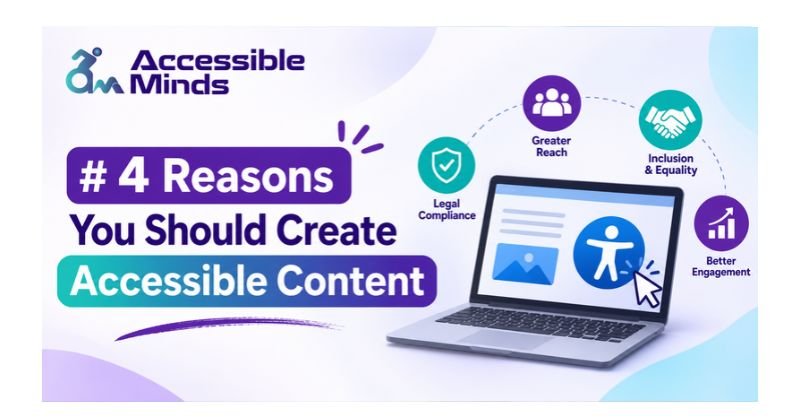
Let’s explore four important reasons why you should create accessible content.
1. Reach a Wider Audience and Improve User Experience
One essential advantage of an accessible approach is that it increases the accessibility of digital content to reach larger masses. Several millions of people have disabilities affecting the way they can access the internet. As an example, sites can be read by visually impaired persons using screen readers, whereas video clips can be understood by hearing-impaired individuals through captions. The same applies to those people who cannot use a mouse and need to work on a computer using only a keyboard. The creation of accessible content can help eliminate those barriers and enable various groups to read or see the content without extra help.
Make Digital Information Available to Everyone
Businesses need to make sure their content is simple to read, comprehend, and navigate. Employing descriptive headings, straightforward language, relevant links, and alternative text for images helps make digital information more accessible.
Support Different Accessibility Needs
Accessible content considers the different ways people interact with digital platforms. Providing captions, transcripts, readable text, and keyboard-friendly navigation helps users with different abilities access information comfortably.
Create a Better User Experience
Accessibility benefits all, not just disabled users might notice the benefits of accessibility enhancements even if you don’t think you need them. Captions are great if you’re watching a video on the bus and it’s noisy, for instance.
Accessible content allows users to locate information efficiently and will help provide a better experience.
2. Improve SEO and Search Engine Visibility
One more key reason for producing accessible content lies in its ability to benefit search engine optimization (SEO). Accessibility and SEO have a lot in common in terms of certain best practices that improve website content comprehensibility, usability, and discoverability. Even though accessibility is not considered a direct ranking factor by Google, a variety of accessibility enhancements provide good SEO tips.
Use Proper Heading Structures
The use of descriptive headings such as H1, H2, and H3 helps organize content and makes it easier for users to interact with the information on the webpage. Moreover, it helps those who use screen readers follow various sections of the webpage better.
Add Descriptive Alt Text to Images
The alternative text (also called alt text) encompasses details that explains the image or its purpose. This text will inform visually impaired users about the image content.
Basically, search engines can also utilize alt text to comprehend the images better.
For instance, instead of using a vague alt text like “image123,” it is advisable to use some detailed context: “A person with a laptop on which an accessible page is opened.”
Improve Content Readability and Navigation
The use of clear language, concise paragraphs, visual links, and logical organization of content is a crucial part of making a website easy to navigate. All of these practices help users understand what they are reading and locating the necessary materials without any problems.
Make Multimedia Content Accessible
Captioning and transcribing videos aids in making the material accessible to the hearing impaired. Also given the option of turning off the sound, people can still absorb the information from the video. Using accessibility methods along with effective SEO techniques could help many businesses to establish the needed balance between human users and search engines.
3. Build Brand Trust and Demonstrate Social Responsibility
Producing accessible content proves that your firm respects every person, no matter their capabilities. It illustrates that your organization is committed to equal access to information available online and generation of experience.
In a world where digital competition abounds, the firms which pay substantial attention to accessibility are capable of establishing a strong report with their clients.
Show Your Commitment to Digital Inclusion
Providing web pages, blogs, and other websites with access to the handicapped indicates one’s sincerity in building relationships with the public. Very simple amendments like adding captions to images or video sequences or using readable fonts can create a much friendlier experience for people with different needs.
Build Trust Among Different Audiences
Businesses that take into account the preferences of customers and offer easy-to-use digital services are preferred by people. Accessibility of the website for users raises their trust in the brand as well.
Create a Positive Brand Image
Digital Accessibility indicates a company’s stance on equality, inclusion as well as social responsibility. Organizations that commit resources to accessible materials can enhance their reputations as organizations that value inclusion and customer orientation. Accessible content is not limited to technical aspects, since, effectively, it is about valuing users and giving them access to digital spaces.
4. Support Accessibility Standards and Reduce Legal Risks
The creation of accessible content is mainly based on the compliance with well-documented accessibility standards. These standards provide information on what practices should be used to make the content on websites more available to people with disabilities.
Web Content Accessibility Guidelines (WCAG), developed by the World Wide Web Consortium (W3C), is one of the most widely accepted standards.
Understand WCAG Accessibility Guidelines
WCAG provides recommendations for making web content accessible. Its four main principles are known as POUR:
- Perceivable: Information and user interface components must be presented in ways users can perceive.
- Operable: Website functionality should be accessible through different interaction methods, including keyboard navigation.
- Understandable: Information and website interfaces should be easy to understand.
- Robust: Content should work reliably with different browsers and assistive technologies.
Following these principles helps businesses create more inclusive digital experiences.
Follow Accessibility Best Practices
Businesses should focus on practical accessibility improvements, including:
- Adding meaningful alternative text to images.
- Using sufficient colour contrast between text and backgrounds.
- Creating descriptive headings and links.
- Providing captions and transcripts for multimedia.
- Ensuring keyboard accessibility.
- Using clear and understandable language.
Make Websites and Digital Documents Accessible
Accessibility should not stop at the website. Businesses should also take accessibility into account in other places such as blogs, downloadable PDFs, presentations, forms, and many other digital resources. Being compliant with the accessibility laws will help companies minimize their chances of getting sued. However, the obligations to comply differ depending on the country, industry, and type of services provided, which means that companies need to know which standards apply to them.
How to Create Accessible Content: Best Practices
Producing accessible content is easy. Here are steps that businesses and content writers can use:
- Write clear, easy-to-understand content: Keep language direct and the information organized in brief paragraphs.
- Use relevant headings: Use clear H1, H2, and H3 headings to organize articles.
- Provide informative alt text: Explain what images are about so that users can interpret them.
- Write captions and transcripts: Provide accessibility for videos and audio for hearing-impaired individuals.
- Provide good color contrast: Make text clearly distinguishable from the background.
- Use good link descriptions: Don’t use vague terms like “click here”, but instead use descriptive information in the link.
- Check keyboard accessibility: Make sure users can navigate interactive elements on the site without using a mouse.
In addition, following these recommendations will help organizations ensure greater accessibility.
Conclusion
Developing accessible content is the chief step in establishing an inclusive online environment. It enables companies to tap larger audiences, enhance user experience, promote SEO best practices, instill trust in the brand and meet different accepted standards of accessibility.
Digital accessibility must be regarded as an indispensable aspect of each content strategy. By developing accessible content a business ensures wider access to information for a larger number of people.