Digital technologies are an integral part of our daily lives. Everyone uses websites, mobile applications, online services for communication and work related purposes along with learning new things from educational platforms and entertainment via digital tools. But not all digital experiences are created equal when it comes to accessibility. Disabilities which could include visual, physical, cognitive or other ability always becomes an obstacle for people using any of the digital products.
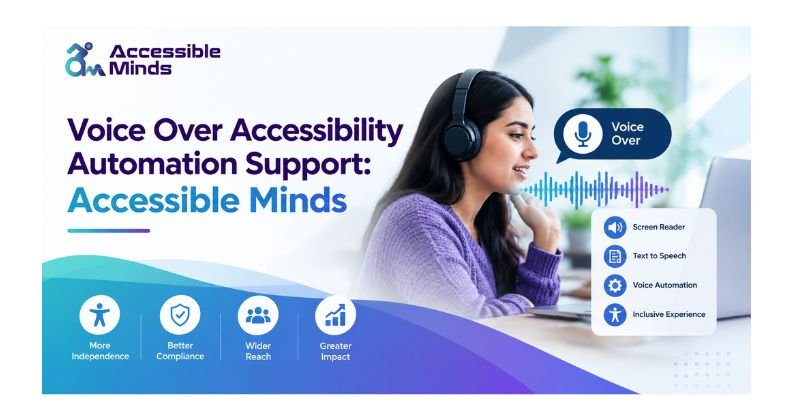
Accessible Minds works towards improving an anyone-friendly digital ecosystem that maximizes opportunities for multiple abilities to engage in technology. An important component of this strategy is the voice over accessibility, which assists users comprehend as well as navigate electronic content via spoken comments.
Voice Over technology is a screen reader used by the blind community that describes all items displayed on the screen in conjunction with other assistive technologies. As the developers and the organization implement automation to fix the accessibility issues they can generate better digital experiences.
Automating accessibility support can help in identifying missing labels, improper navigation structure for various components such as buttons, non-readable texts due to poor color contrasting and many such issues. The combination of voice over accessibility and automation supports users who depend on assistive technology to access digital platforms freely, easily, and independently.
Understanding Voice Over Accessibility
Voice over accessibility is an active process that involves giving users spoken feedback for navigating the digital interface. Through VoiceOver accessibility automation support and voice-controlled accessibility tools, systems are able to audibly read text, names of buttons, menus, headings, links, notifications, and other interface elements, helping users navigate digital experiences more efficiently and independently.
This service is very important for individuals who cannot see a screen properly. Users can listen to the information they require instead of relying on the visual aspect only.
Voice over technology can be associated with screen reader accessibility. This device does the interpretation of the data provided by an application, website, or operating system and converts it into audible or tactile output.
For instance, when a user approaches a button, the accessibility interface should provide information about the button’s designation and its function.
Thus, when the button is properly labeled, the voice can say: “The Submit button is active.” But if there is no label, the output might sound like noise or become incomprehensible to the users.
Importance of Accessibility for Accessible Minds
Accessible Minds is a concept that aims to achieve digital inclusion. When it comes to accessibility, individuals with disabilities can enjoy more independence in such fields as education, work, communication, sales, financial services, entertainment, and so on.
An inaccessible page can lead to an undue dependence on those who need a certain help. For instance, blind people may not be able to fill the online forms if the fields lack appropriate titles. Likewise, a badly designed app will be hard to use with a screen reader.
Digital accessibility refers to providing information in a user-friendly way.
Here are some key aspects of accessibility:
- Clear headings and content structure
- Descriptive labels for buttons and form fields
- Keyboard-friendly navigation
- Meaningful alternative text for images
- Accessible links
- Proper color contrast
- Logical reading order
- Screen reader compatibility
- Captions and transcripts for multimedia
- Accessible error messages
By following these principles, Accessible Minds can support a digital environment where accessibility is treated as an essential part of user experience rather than an optional feature.
Voice Over Technology and Its Features
Contemporary gadgets have accessibility aspects that support diverse groups of users. Voice Over and other screen reader solutions can convert visual information into voice output. Notable elements comprise:
Text-to-Speech
Text to speech tech kind of converts written content into spoken language. For people using it, users can listen to articles, menus, notifications, and other digital information as well. It turns the text into sound, so you don’t have to read it, unless you want.
Gesture-Based Navigation
On touchscreen devices, people can move between interface elements using accessibility gestures. These gestures let users wander around content without relying on purely visual interaction, like, you know, tapping and swiping. This way they can explore what’s on screen without being dependent on the eyesight part.
Heading and Landmark Navigation
Websites that are really well set up let screen reader users bounce around fast, between headings , landmarks lists and other significant parts. In other words it’s easier for them to hop through sections without getting lost, or having to listen to everything from the beginning each time.
Form Interaction
Accessible form controls can give you a bit more insight about what a label means, which fields are required, what kind of input is being used, and even the validation message feedback. This is helpful for assistive tech, because it often relies on those cues in a more direct way than sighted folks might expect, too.
Adjustable Speech Settings
Most assistive technologies today offer control of features such as speed, voice and pronunciation. This goes to show why developers need an understanding of how their sites and applications behave when accessed via assistive technology.
Accessibility Automation Support
Manual accessibility testing has its usefulness, but to test every page, component and interaction manually is extremely time-consuming. Accessibility automation offers an opportunity to catch many of the common accessibility issues at development and testing time.
Automated accessibility tools can scan digital content and check for issues such as:
- Missing alternative text
- Missing form labels
- Incorrect heading hierarchy
- Invalid ARIA attributes
- Insufficient color contrast
- Duplicate or unclear link names
- Certain keyboard accessibility problems
- Improperly structured interface elements
Automation can never substitute human accessibility testing. Some accessibility issues are determined by context, usability, or actual experience with assistive technology. Automated VoiceOver accessibility testing can help identify common accessibility issues efficiently, but one of the most effective strategies is to combine automated testing with manual testing and testing with real users. According to the Accessible Minds approach, accessibility checks can be carried out at every stage of the development process, allowing developers to detect issues early and resolve them before launching the product.
Tools and Technologies for Voice Over Accessibility
Several technologies can contribute to an accessible digital experience.
Screen Readers
Screen readers allow digital content to be read aloud or presented in braille. These were mostly used by people who had low vision or blind.
Accessibility APIs
It is OSs and browsers that provide Accessibility API: They let an application communicate information about some interface elements to assistive technologies.
ARIA
Accessible Rich Internet Applications (ARIA) adds extra semantics to dynamic web interfaces. When using native HTML elements is not enough, ARIA can help by communicating more roles, states & properties.
Automated Testing Tools
Accessibility testing tools can scan webpages and components for common issues. They are useful for continuous testing during development.
Keyboard Accessibility Testing
Keyboard testing helps identify whether users can reach and operate interactive elements without relying on a mouse or touchscreen.
Voice and Speech Technologies
Text-to-speech and voice technologies can provide additional ways for users to interact with and consume digital information. Using these technologies together can create stronger digital accessibility and improve compatibility with assistive technology.
7. Challenges Faced by Visually Impaired Users
Individuals with visual impairments face many obstacles when developing websites and apps that lack accessibility functionality. One of the main issues is that of interactive tools, which might not have any labeling. Hence, a screen reader will identify the presence of a button, but its function will not be explained. Second, the problem of poor content structures also arises when headings are missing or arranged in a wrong manner. Thirdly, dynamic content may cause additional problems because information on a website may be updated without the entire page being refreshed.
Other common challenges include:
- Images without meaningful alternative text
- Videos without audio descriptions or transcripts
- Inaccessible CAPTCHA systems
- Poor keyboard navigation
- Unclear error messages
- Automatically changing content
- Inconsistent navigation
- Inaccessible PDF documents
- Complex forms
- Poorly implemented custom controls
Addressing these barriers is an important part of building technology around the principles of Accessible Minds.
Role of Automation in Improving Accessibility
Automation can contribute to visibility testing to a higher degree. Rather than waiting until the end of development, teams can perform their automated accessibility tests as the new code is being introduced. For instance, it’s possible to implement accessibility testing in the practice of CI/CD. In case of detecting accessibility issues due to the new component, the team can react and solve the problem prior to its implementation. The automation can also assist as the company has to test many web pages.
Although there are many pages to test manually, such as hundreds or thousands, the automated testing has some limitations. A certain solution can see that there is an image with the alternative text but won’t know if it is sufficient. Also, the automation can notice the technical problems, but it is impossible to say if the task is comfortable for the user of the screen-reading software.
Designing Accessible Digital Content
To create an accessible design one must first find out about the users. Designers, developers, writers, and Product teams should think about accessibility right from the start of a project.
Use Semantic HTML
In addition, built-in HTML elements like headsets and buttons, have semantics by default that are intended to transmit helpful information to assistive technologies.
Write Descriptive Labels
Buttons and links should clearly communicate their purpose. “Download report” is generally more useful than an ambiguous label such as “Click here.”
Provide Alternative Text
Images that communicate information should have meaningful alternative text. Decorative images can be handled appropriately so they do not create unnecessary noise for screen reader users.
Maintain Logical Structure
Content should follow a logical heading hierarchy and reading order.
Support Keyboard Navigation
Interactive functionality should be available through keyboard controls wherever appropriate.
Consider Color and Contrast
Information should not depend solely on color, and text should have sufficient contrast against its background.
Make Forms Accessible
Forms need to include clear labels, instructions, error messages and feedback. This encourages optimal build for digital experiences, making them more compatible with screen readers and similar assistive technologies.
Voice Over Support in Web and Mobile Applications
Websites and mobile apps must successfully work with accessibility technologies. Attractive interfaces don’t always mean that their users can access them.
The development process for websites usually requires developers to consider semantic structure, keyboard navigation, accessible forms, meaningful labels used correctly, and the ARIA standards where applicable.
The development procedure for mobile apps should include the development of accessible names, appropriate roles, and understandable states for the controls used in mobile apps. It must also take into account how interactions involving the touch screen could be organized in a manner allowing such users to operate a smartphone effectively.
In terms of testing, voice-over should be conducted on real devices whenever possible since automated checks may give good results, but the website itself still may create many problems for the screen reader user during navigation.
A useful testing process can include:
- Run automated accessibility checks.
- Test keyboard navigation.
- Navigate the interface with a screen reader.
- Check headings, links, buttons, forms, and notifications.
- Test important user journeys from beginning to end.
- Conduct usability testing with people who use assistive technologies.
- Fix and retest identified problems.
This combination provides stronger voice over accessibility support.
Benefits of Accessibility Automation
Accessibility automation provides several benefits for organizations and users.
Faster Testing
Automated tools can scan multiple pages and components quickly.
Early Issue Detection
Finding accessibility problems during development can reduce the cost and effort required to fix them later.
Consistent Monitoring
Automated checks can be repeated whenever new code or content is introduced.
Better User Experience
When accessibility issues are reduced, users can navigate websites and applications more efficiently.
Improved Digital Inclusion
Accessible technology allows more people to participate in digital services independently.
Support for Compliance
Organizations can use accessibility testing to detect technical problems associated with established accessibility standards. This is because just random testing or automated testing does not cover full compliance. The biggest advantage for Accessible Minds is basically normalizing the accessibility; making it part of the design process instead of making a rush after development.
Best Practices for Accessible Minds
An effective accessibility strategy should combine technology, testing, design, and user feedback.
Some important best practices include:
- Make accessibility part of the project from the beginning.
- Use semantic HTML wherever possible.
- Test websites with multiple screen readers and browsers.
- Include keyboard-only testing.
- Use automated accessibility testing during development.
- Avoid relying entirely on automated tools.
- Test important user journeys manually.
- Use clear and descriptive interface labels.
- Provide meaningful alternative text.
- Make forms easy to understand and complete.
- Train developers and designers in accessibility principles.
- Involve people with disabilities in usability testing.
- Continue monitoring accessibility after launch.
The Accessible Minds philosophy is better enhanced when accessibility is embraced by all teams whether design, development, content, quality assurance or product management.
Future Scope of Voice Over and Accessibility Automation
The future of accessibility will be heavily influenced by the integration of artificial intelligence, automation, voice technology, and user preferences.
AI could help solve accessibility issues in places where typical automation methods don’t provide effective solutions. For example, advanced technology could help determine whether an alternative text is relevant in context or if users experience errors while using the site.
Voice technologies develop as well. Modern technology allows users to communicate with their counterparts by using a more versatile manner of getting in touch with any service provider using digital products.
Automation will also make it possible to monitor accessibility on a permanent basis rather than relying on sporadic audits.
Companies will not have to conduct any audits anymore as they will be able to integrate accessibility checks into the daily process of their entire development work.
The popularity of personal settings will grow. Users will be able to set their options regarding speed of speech, actions while using websites, and text formatting.
All of these achievements could permit making Accessible Minds and digital accessibility more proactive, personal, and inclusive in the development process.
Conclusion
Automation and voice-over usefulness are significant factors that enable digital inclusion in our times. Screen readers, speech synthesis solutions, accessibility application programming interface, semantic HTML, and automation tests help in eliminating digital segregation among disabled people. On the other hand, digital accessibility cannot be viewed through the lens of technology alone.
A website may pass automated tests, however, it can be complicated for a real user to use it. This is the reason why organizations must combine automation of accessibility with manual testing that involves testing advanced solutions and collecting feedback from disabled people. The principle of Accessible Minds teaches that digital products have to be created in such a way that as many people as possible are able to use them on their own.