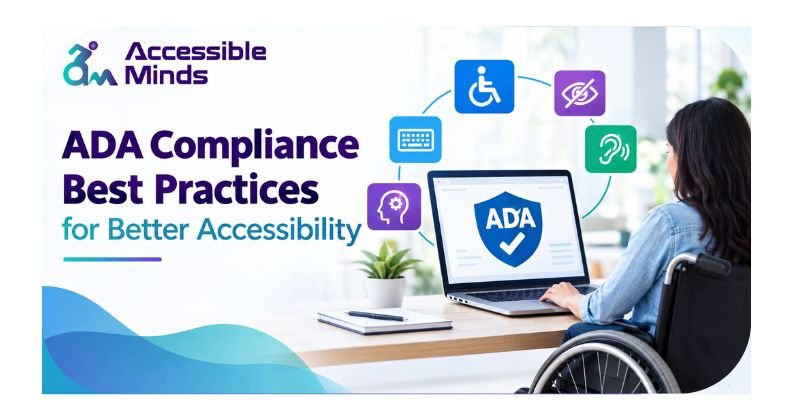
How digital is today, being accessible is no longer just a nice-to-have feature — it should form the very basis of providing all users with inclusive experiences. Over the years, businesses, organizations, educational institutions, and government agencies have begun to realize that providing people with disabilities equal access to websites/applications/digital content is essential. That is, maintaining compliance with legal obligations — but accessibility not only facilitates usability for all users, it also helps organizations address a larger audience.
At Accessible Minds, we treat accessibility as an opportunity that nature gives you in the form of an equal offer for all users and is a work stream that ensures user experience by putting confidence in every visitor. Using ADA compliance best practices avoids lawsuits and creates a reputation for being complete, plus whatever your online platforms cover, the other half can use it.
Understanding ADA Compliance
The Americans with Disabilities Act (ADA) is a law of civil rights that rules out discrimination against people having disabilities. Initially, the Act was intended for the usage of the physical space, but courts and executive bodies nowadays interpret the act in the way that it also regards e-environment such as web sites, applications, online documents, forms and services. In order to comply with the act in the field of e-environment, the Web Content Accessibility Guidelines (WCAG) should be taken into account. These recommendations point out the following four key principles: content must be perceivable, operable, understandable, and robust. Hence, the bodies complying with these principles will be able to ensure accessibility and usability of their websites and applications.
Why Accessibility Matters Beyond Compliance
Most companies look at accessibility as a legal compliance problem. However, the benefits of accessibility could easily trump simply avoiding penalty for non-compliance. Of your visitors, many are elderly people, people with temporary disabilities or those who use mobile devices to browse the Internet. Besides, accessibility is also a portion of SEO. If you write your navigation simply, build a natural site structure, and set headings at the right level with alternative text for images, then it will be easier to access and perform better in search engines. A user-friendly and smooth website encourages lower bounce rates, since people will find whatever they were searching for without hassles.
Start with an Accessibility Audit
One efficient way to ensure compliance is by performing a thorough accessibility audit based on ADA Website Accessibility Guidelines. An accessibility audit helps identify barriers that may prevent people with disabilities from accessing content and using digital technology effectively. Accessibility audits usually involve automated testing, manual testing, and user testing with assistive technologies such as screen readers. While automated tools can detect certain accessibility issues, manual testing is equally important because many accessibility requirements require human assessment. The audit should focus on key areas such as navigation, forms, images, multimedia, color contrast, keyboard accessibility, and compatibility with assistive technologies. Organizations that regularly conduct accessibility audits can identify and resolve potential issues early, helping create more inclusive websites while supporting alignment with ADA accessibility expectations and relevant WCAG standards.
Design for Inclusive User Experiences
Usability and accessibility are closely linked in design. A good interface works for everyone, including those who are not disabled. A main aspect of accessibility is easy navigation. Information should be easy to find and be presented in a manner that users don’t get confused about how to go through a website. Consistent menus, titles of the pages, and layouts are crucial to ensure usability. The text should be legible, good colour contrast and font size should be used. Language should be kept simple to make understanding easier. Images should include meaningful alternative text for people who use visual readers. Videos should have captions and audio should feature transcripts. All the elements should be accessible through keyboard navigation so people without a mouse can interact with any content.
Prioritize Keyboard Accessibility
Website navigation can often occur using a keyboard as opposed to a mouse. This group of users consists of those who have mobility impairments, advanced users, and those who use assistive technologies. All interactive components must be usable with the keyboard only. It is critical for focus indications to clearly signal the selected component and allow the user to move through the content easily. Keyboard navigation must be thoroughly tested to guarantee that dropdown menus, forms and buttons are functioning correctly.
Create Accessible Forms and Documents
Forms play an important role in communication, transactions, registrations, and customer interactions, but inaccessible forms can create serious barriers for users with disabilities. Meeting ADA Compliance Requirements for Websites means ensuring that form field labels and instructions are clear and descriptive, while error messages should be straightforward and provide helpful guidance for correcting mistakes. Required fields should be identified in ways that do not rely on color alone. PDF files, reports, brochures, and other downloadable documents should also be made accessible. These documents should include proper headings, logical reading order, meaningful alt text, and appropriate tags so they can be effectively used with screen readers. Creating accessible forms and documents not only supports ADA compliance expectations but also improves usability and provides a more inclusive digital experience for all users.
Train Teams and Build Accessibility into Processes
Accessibility is best put into practice when it becomes ingrained in the culture of an organization meaning instead of being regarded as a one-off activity. Designers, developers, content creators, marketers, and leadership have to understand what accessibility is and what their own mission in terms of compliance is. By training the staff, the organizations eliminate the possibility of accessibility problems arising during the process of development and designing instead of having to deal with them later. Introduction of accessibility into the processes of work can reduce time and costs. Conducting accessibility checks of content, websites, and software should be a routine activity.
Monitor and Improve Continuously
Accessibility is a dynamic mechanism. Websites develop, content is modified, and technology progresses to keep companies on the lookout for its action. Organizations should arrange regular reviews related to accessibility and be aware of any modifications of rules and laws. Information provided by users will give useful information about any obstacles that may not be noticed by automated devices. Continuous improvement maintains the relevance of accessibility in the process.
How Accessible Minds Can Help
The ability to build an accessible digital experience requires specialization, strategy, and ongoing support. Accessible Minds helps the business make the transition to being more accessible, usable, and compliant through a multi-faceted approach that includes evaluations, advisory, remediation, and accessibility-oriented solutions. Our process starts far from mere completion of a checklist: we partner with businesses to create an inclusive digital experience that caters to everyone’s needs while minimizing risks and developing trust. Accessible Minds can offer the business all essential means regardless of whether the business has just started its way toward becoming accessible or wishes to retain its already implemented plans.
Conclusion
The obligations on organizations according to the Americans with Disabilities Act go beyond mere compliance; these obligations are not only a legal requirement but demonstrate an organization’s commitment to creating an inclusive digital environment for everyone. ADA compliance requires businesses to conduct audits, design and implement design-related processes aimed at maximizing usability. Besides, making use of assistive technologies is also vital for accessibility. Organizations investing in accessibility will be in a position to reap long-term benefits of working with their stakeholders. Furthermore, successful crisis management is achieved by collaborating with key partners.