The internet should be accessible to everyone, regardless of their physical, sensory, or cognitive abilities. However, many websites still create barriers for people with disabilities. Issues such as poor color contrast, missing image descriptions, inaccessible forms, and keyboard navigation problems can make it difficult for users to access online information.
Making a website accessible is an important part of modern web development. Developers must consider how different people interact with websites, including those who use screen readers, keyboards, voice recognition software, and other assistive technologies.
A website accessible to everyone should provide a simple, understandable, and consistent experience for all users.
In this article, we will explore five important website accessibility best practices that developers should follow to create more inclusive digital experiences.
What Does It Mean to Have a Website Accessible?
A website is considered accessible when it makes its content and functionality available to people with different abilities. The term accessibility of websites refers to the removal of the barriers preventing disabled people from using web pages. People with visual impairment need to have access to such technologies as screen readers. On the opposite side of the spectrum, people with physical disabilities need to be able to navigate with the help of keyboards instead of mouse devices. The accessibility requirements for the hearing-impaired people consist in providing them with captions. The standards developed by W3C known as Web Content Accessibility Guidelines (WCAG) are considered to be the most appropriate ones in order to achieve the necessary level of accessibility of websites.
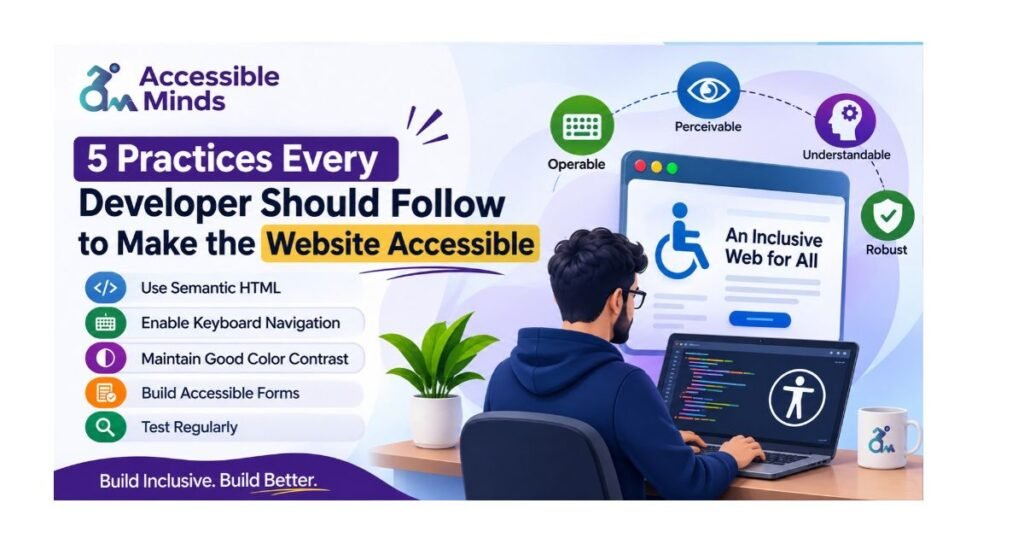
WCAG is based on four main principles:
- Perceivable: Users should be able to view information provided in an accessible format.
- Operable: Users should be able to properly use the website controls.
- Understandable: Users should be able to comprehend the text and use the functions of the website.
- Robust: The text must cooperate properly with various browsers and assistive technologies.
Following these principles helps developers create an accessibility-friendly website that supports a wider range of users.
Why Is Website Accessibility Important for Developers?
This is the primary reason that website accessibility is critical as the internet plays a significant role in the daily life of many people. Users of the websites engage in activities that involve education, shopping, banking, communication, health care, and business. Users with disabilities have difficulty accomplishing the simplest tasks without the proper web accessibility. Some reasons why developers should focus on ensuring web accessibility are listed below:
1. Creates an Inclusive Digital Experience
Accessible websites allow people with visual, hearing, physical, and cognitive disabilities to access information and services more independently.
2. Improves Website Usability
Features such as clear navigation, readable text, descriptive links, and accessible forms can improve the overall user experience.
3. Supports Accessibility Standards
Following recognized accessibility standards, such as WCAG, helps organizations work toward applicable accessibility requirements.
4. Reaches More Users
Accessible web design allows the utilization of different devices, browsers, and assistive tools. Accessibility is not an extra feature, it is a criterion that must be taken into consideration from the very initial stages of web development and building.
What Are the 5 Best Practices Developers Should Follow to Make a Website Accessible?
Developers can improve website accessibility by following practical development techniques. Here are five important practices to consider.
1. Use Semantic HTML and Proper Heading Structure
Semantic HTML serves as one of the building blocks of accessible web development. HTML tags describe the structure and purpose of website content to browsers and assistive technology. Using the correct HTML tags allows users of screen readers to comprehend how the content of a particular page is arranged.
For example, developers should use elements such as:
- <header> for introductory page content.
- <nav> for navigation links.
- <main> for the primary content.
- <section> for related content.
- <footer> for footer information.
Developers should also maintain a logical heading hierarchy. An H1 should describe the main topic, while H2 and H3 headings should organize supporting sections.
Example:
Instead of using generic elements for every part of a webpage, developers can write:
<header>
<nav aria-label=”Main navigation”>
<main>
<h1>Website Accessibility Best Practices</h1>
<section>
<h2>Accessible Web Design</h2>
</section>
</main>
<footer>
Another important thing to do is to add meaningful alternative text to relevant images. Alt text helps screen reader users understand the intention behind images. As for decorative images, developers can apply empty alt attributes (alt=””) so that screen readers will ignore them. Using semantic HTML makes it easier to navigate the information provided on the website.
2. Ensure Complete Keyboard Navigation
It’s important to remember that not everyone uses a mouse to browse a website. There are individuals who cannot use their hands and rely solely on their keyboards to navigate. Hence, a developer needs to make sure that every significant interaction with a website can be performed using the keyboard.
Here are some important keyboard accessibility practices:
- Enable users to access elements through the Tab key.
- Support Shift + Tab for the reverse navigation of interactive elements using the keyboard.
- Let the user use Enter or Space to activate the relevant controls.
- Provide visible indicators of focus for the users to know the selected element.
- Avoid the creation of keyboard traps that make it impossible for users to exit the component.
The navigation menu should help users switch between links independently of the mouse. The developers should also take care to create pop-ups, dropdowns, and modal windows that can all be opened and closed using the keyboard.
Why does this matter?
Without proper keyboard navigation, people who cannot operate a mouse may be unable to access important website features. Testing a website using only a keyboard is a simple way to identify common accessibility problems.
3. Maintain Sufficient Color Contrast and Readable Text
Another key element of accessible web design is color contrast. Those with low vision or color blindness might face challenges associated with reading text due to insufficient contrast between the text and the background. It is necessary for developers to take WCAG contrast standards into account and make web text more accessible to users.
According to WCAG 2.2 Level AA:
| Content type | Minimum contrast ratio |
| Normal text | 4.5:1 |
| Large text | 3:1 |
| Important user interface components | Generally 3:1 against adjacent colors |
Large text generally means at least 18-point regular text or 14-point bold text.
Developers should also follow these recommendations:
- Do not use text of light colors on light backgrounds.
- Select a proper font size and use proper line spacing.
- Do not use colors alone while communicating important information.
- Make sure that buttons, links, and form fields can be easily distinguished visually.
- Keep using the same typography on each page of the website.
For example, an error message should not rely only on the color red. It should also include clear text explaining the problem.
Maintaining good contrast and readable typography improves website accessibility and creates a better reading experience.
4. Build Accessible Forms, Buttons, and Interactive Elements
Forms and interactive elements enable users to carry out crucial website activities like submitting requests, registering accounts, buying products, and making inquiries. Nonetheless, badly built forms can pose whole accessibility hurdles. When designing accessible forms and controls, developers must follow these rules:
Use Proper Form Labels
Every form field should have a meaningful label that explains what information users need to enter. For example, an email field should have a clear label such as “Email Address.”
Provide Clear Error Messages
When users enter incorrect information, display an understandable error message explaining how to correct it.
Use Descriptive Button Text
Avoid vague button labels such as “Click Here.” Instead, use meaningful labels such as “Submit Application” or “Download Report.”
Use ARIA Carefully
Accessible Rich Internet Applications (ARIA) attributes can provide additional information about interactive components when native HTML does not provide the required semantics.
For example, aria-expanded can communicate whether an expandable menu or section is open or closed.
However, developers should prefer native HTML elements whenever possible.
Support Screen Readers
Ensure that form labels, instructions, button names, and error messages are properly exposed to assistive technologies.
These improvements make website interactions easier and more predictable for different users.
5. Test Website Accessibility Regularly
Website accessibility is an ongoing development job. Developers should perform a regular test on the website to find and solve the accessibility problems. The website might seem okay visually, but it may have issues that may restrict disabled people from enjoying the website. The use of both automated and manual testing approaches has been found to be effective.
Automated Accessibility Testing
Automated tools can identify many common accessibility issues, including:
- Missing alternative text.
- Insufficient color contrast.
- Incorrect ARIA attributes.
- Some form labeling problems.
- Certain HTML accessibility errors.
Manual Accessibility Testing
Manual testing helps developers identify issues that automated tools may miss.
Important manual testing activities include:
- Navigating the entire website using only a keyboard.
- Checking visible focus indicators.
- Reviewing heading structure.
- Testing forms and interactive elements.
- Checking meaningful content with screen readers.
Developers can also use accessibility testing tools such as axe DevTools, WAVE, and Google Lighthouse to identify potential problems.
However, no automated tool can guarantee complete WCAG compliance.
Combining automated scans, manual testing, and testing with assistive technologies provides a more reliable understanding of website accessibility.
Which Website Accessibility Guidelines Should Developers Follow?
The developers building any accessible websites have to know about WCAG – Web Content Accessibility Guidelines. These guidelines are laid down by W3C (World Wide Web Consortium). WCAG suggests the way in which all the web content can be made accessible to the disabled. The guidelines have 3 levels of conformance.
- Level A: Addresses essential accessibility requirements.
- Level AA: Addresses additional barriers and is a common accessibility target.
- Level AAA: Includes more extensive accessibility requirements.
The WCAG 2.2 version is an essential set of legislation, as it contains new success standards related to focus visibility, target size, and the ability to access authentication. It is important for the developers to know these success standards to define the appropriate goal that their platform should achieve. Following the accessibility rules makes it possible for development teams to create more usable and accessible websites.
How Can Developers Check Whether a Website Is Accessible?
Developers can use a combination of automated tools and manual testing methods to evaluate website accessibility.
Here are some useful testing tools:
1. WAVE
WAVE helps identify accessibility issues directly on webpages and provides visual indicators for potential problems.
2. axe DevTools
axe DevTools helps developers identify accessibility issues during the development and testing process.
3. Google Lighthouse
Google Lighthouse includes accessibility audits that help identify certain common accessibility problems.
4. Screen Readers
Testing with screen readers helps developers understand how website content and interactive components are communicated to users.
5. Keyboard Testing
Keyboard testing helps verify whether users can navigate and interact with website features without using a mouse.
Remember that passing an automated accessibility scan does not automatically mean a website is fully accessible. Manual evaluation is also necessary.
What Common Website Accessibility Mistakes Should Developers Avoid?
Even experienced developers can introduce accessibility problems during website development.
Some common mistakes include:
| Common mistake | Recommended solution |
| Missing image alt text | Add meaningful alternative text to informative images. |
| Poor color contrast | Follow WCAG contrast recommendations. |
| Incorrect heading structure | Maintain a logical heading hierarchy. |
| Inaccessible navigation | Support complete keyboard navigation. |
| Unlabeled form fields | Associate descriptive labels with form controls. |
| Missing focus indicators | Provide visible keyboard focus styles. |
| Incorrect ARIA usage | Prefer native semantic HTML wherever possible. |
Avoiding these mistakes can make websites easier to navigate, understand, and use.
How Can Accessible Minds Help Improve Website Accessibility?
Creating an accessible website requires expertise, adequate planning, and ongoing testing. Accessible Minds supports organizations in developing more inclusive digital experiences through its services relating to digital accessibility. In the course of building a new website or perfecting the one that you already have, accessibility audits might help you discover barriers standing in the way of people with disabilities. Given an appropriate accessibility strategy, businesses will have a chance to enhance their website usability and comply with necessary accessibility requirements. If you want to make your website more inclusive, explore the Digital Accessibility Services offered by Accessible Minds.
Conclusion
Accessibility in web development should be considered an important aspect of the process of website design. It is the responsibility of the developers to eliminate obstacles in the digital world. Using five very simple techniques such as semantic HTML, keyboard support, color contrast, accessible forms, and regular accessibility tests will definitely promote the accessibility of the website. By following the WCAG guidelines and thinking about accessibility every step of the way, organizations can create websites that are more accessible to everyone.
Ready to make your website more accessible?
Connect with Accessible Minds to explore accessibility testing, digital accessibility, and accessible website development solutions. Visit Accessible Minds to take the next step toward a more inclusive digital experience.
Frequently Asked Questions
A website is accessible when people with different abilities can perceive, understand, navigate, and interact with its content. Features such as keyboard navigation, alternative text, readable content, and accessible forms support accessibility.
Use semantic HTML, provide keyboard navigation, maintain sufficient color contrast, create accessible forms, and perform regular accessibility testing. Following WCAG guidelines also helps developers identify important accessibility requirements.
The four principles are Perceivable, Operable, Understandable, and Robust (POUR). They help developers create websites that people with different disabilities can access and use.
WCAG stands for Web Content Accessibility Guidelines. Developed by W3C, these guidelines provide recommendations for accessible web content and include three conformance levels: A, AA, and AAA.
You can test website accessibility using automated tools such as WAVE, axe DevTools, and Lighthouse. You should also perform keyboard navigation, screen reader, and manual accessibility testing.
No. Automated tools can identify many common technical issues, but they cannot detect every usability or accessibility problem. Manual testing and assistive technology testing are also important.
Website accessibility supports better content structure, navigation, and usability. Some accessibility improvements can also support search engine understanding, although WCAG compliance itself is not a direct Google ranking factor.