In today’s digital world, websites, mobile applications, and software platforms should be accessible to everyone, including people with disabilities. Businesses that prioritize digital accessibility can create better user experiences, reach a wider audience, and improve usability across different devices and assistive technologies.
Accessibility testing is the process of evaluating a digital product to identify and fix barriers that prevent people with disabilities from using it effectively. These barriers may affect individuals with visual, auditory, motor, cognitive, or neurological disabilities.
From checking keyboard navigation to verifying screen reader compatibility, accessibility testing helps organizations build inclusive digital experiences. This guide explains what accessibility testing is, its major types, popular testing tools, and best practices for implementing an effective accessibility strategy.
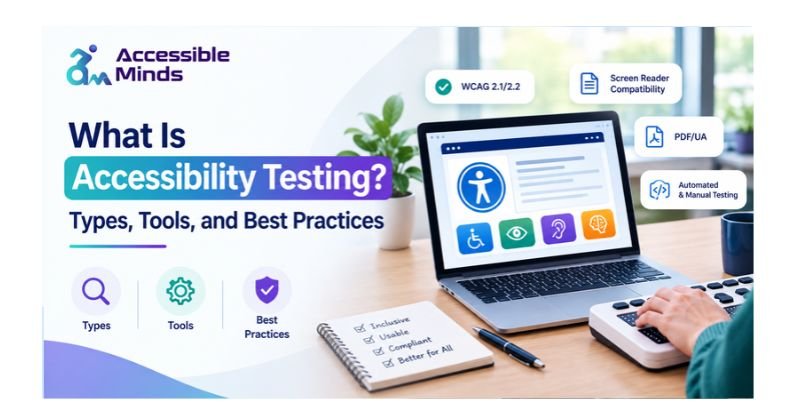
What Is Accessibility Testing?
Accessibility testing is a process of testing software in order to find out whether a website, a mobile application or any other digital product can be operated by people with different abilities. It finds whether users will be able to function the interface, understand its content, use its interface and do what needs to be done.
For instance, a website may be visually appealing, but it may still present difficulties for a person using a screen reader simply because it does not have any meaningful alternative description of its images. Also, there are forms that can be filled in only when using a mouse and may be unable to work using a keyboard.
The aim of digital accessibility testing is to find such issues and bring them to developers’ notice well in advance.
Accessibility testing usually follows the Web Content Accessibility Guidelines (WCAG) presented by the World Wide Web Consortium (W3C).
Why Is Accessibility Testing Important?
Accessibility testing offers several benefits for businesses, developers, and users.
Improves User Experience
It is a fact that websites that comply with accessibility requirements are generally easier to use and understand. This is due to the fact that good titles, legible text, uniform type of links, and informative link names do not only help people with disabilities but also those who use mobile devices and those with short-term disabilities.
Supports Accessibility Compliance
Depending on the area where organizations operate and their industry and valid laws, companies sometimes need to fulfill accessibility requirements. Carrying out tests for compliance with the respective standards is the way to find gaps in compliance and thus eliminate the chances of legal and operational issues.
Expands Audience Reach
Available digital goods enable greater access to online services for the users, including customers battling sight, hearing, movement, or thinking disabilities. improvements in user interaction and the access to the user to a wider range of services are possible through such an approach.
Identifies Issues Earlier
Generally, it is simpler to discover accessibility flaws in the development stages than to rectify them once the product is launched. The implementation of testing during the software development lifecycle helps lower the amount of rework and enhances quality of the product.
Types of Accessibility Testing
Different testing methods help identify different accessibility barriers. A comprehensive strategy combines automated checks with manual evaluation and testing with assistive technologies.
1. Automated Accessibility Testing
Automated accessibility testing uses software designed specifically to test website content and software for accessibility problems. Software may find problems with the way users fill out forms on a website (i.e., missing form labels), how the color schemes are selected, or whether certain ARIA tags are being used incorrectly.
Axe DevTools, WAVE, and Lighthouse are some of the most popular automated testing tools available. While automated tests provide an excellent way to automatically check for issues on a regular basis, and to ensure that no new problems have been introduced by changes made since the last test was run, they cannot verify whether the content provided is relevant to users, nor can they determine how easy it is for people to use the interface. This requires human evaluation.
2. Manual Accessibility Testing
In the manual accessibility testing of digital products, an evaluator interacts directly with the product under assessment. The evaluator will examine such things as structure of the webpages, how each interface behaves, clarity of the content, focusing indicators, etc. Manual testing is good in that it can uncover possible issues of a product under testing that an automated testing tool may miss (like misleading text, ambiguous links, complex navigation patterns on the website).
3. Keyboard Accessibility Testing
Keyboard accessibility testing determines if users can utilize a website without using a mouse device. Testers utilize such keys as Tab, Shift+Tab, Enter, Space, and arrow keys in order to visit and interact with various elements of the web page. Among the important things that should be checked, one can find logical focus order, visible focus indicators, working menus, and possibility to close dialog boxes as well as other interactive elements.
4. Screen Reader Testing
Screen reader testing is used to determine how effectively a website communicates its data to users who use assistive technology. Several common screen readers include NVDA, JAWS, and VoiceOver. Testers verify whether all heading tags, button labels, form labels, image tags, and navigational landmarks are announced correctly. Additionally, testers verify that any updates to the dynamic content of a page are communicated clearly.
5. Mobile Accessibility Testing
Mobile accessibility testing involves verifying if a specific app or responsive website will work correctly with various assistive technologies like VoiceOver and TalkBack. This type of testing should take into account: size of the touch targets, orientation of the screen, readability of text when resized, alternatives to gestures, and if the app is compatible with accessibility.
6. User-Based Accessibility Testing
Users with disabilities will evaluate the product in an everyday setting. They can give us feedback on potential issues with the product which cannot be found during typical testing. This method is effective for evaluating complex procedures, assessing understanding of the content, and evaluating the usability of a digital experience.
Best Accessibility Testing Tools
Choosing the right accessibility testing tools depends on the product, development workflow, and testing requirements.
Axe DevTools
Axe DevTools helps developers identify accessibility issues during development and testing. Its browser-based tools and testing integrations can detect many common WCAG-related violations.
WAVE
WAVE is a web accessibility evaluation tool that visually identifies potential accessibility problems directly on a webpage. It helps testers inspect elements such as missing alternative text, heading structure, and contrast-related concerns.
Google Lighthouse
Google Lighthouse has accessibility audits which assess a variety of elements on a website. While it provides an easy way to check things out while you are creating, the automated score does not provide full WCAG compliance.
NVDA and JAWS
NVDA and JAWS are the most popular screen readers used by web developers for testing web site design in a Windows operating system environment. Screen readers provide assistance in identifying problems related to announcements, navigation, form interactions, and content organization.
VoiceOver
VoiceOver is a screen reader that comes pre-installed on macOS and iOS. The system offers aids for accessibility through website and application testing on all Apple devices. With the help of this system, developers get a better idea of how assistive technology delivers UI information.
Accessibility Insights
Accessibility Insights includes both automated testing tools and manual evaluation processes which provide support for identifying potential accessibility problems. Accessibility Insights is designed to be used as part of an organization’s software development process to help ensure that their products are accessible to users with disabilities.
Accessibility Testing Best Practices
To make the accessibility testing of your website an effective part of your organization’s process, you need to include this activity as a standard step in all phases of the website development cycle, including its initial design, coding, and final quality review.
Follow WCAG Guidelines
The testing process should be based on WCAG Guidelines. It consists of four basic principles, which are known as Perceivable, Operable, Understandable, and Robust, also known as POUR principles. You should select the relevant version and level of conformance needed for your project.
Combine Automated and Manual Testing
The use of automated scanners alone is insufficient. Combine automated audits with keyboard checks, screen reader testing, visual inspection, and realistic task-based evaluation.
Test Throughout Development
Include checking for accessibility issues during design reviews, developing components, reviewing code, and conducting regression testing. Teams can save money by identifying and resolving accessibility issues early on.
Check Color Contrast and Text Readability
The text you write needs to be legible across all types of digital backgrounds. To meet the requirements for WCAG 2.2 Level AA, normal text needs to have a contrast ratio of at least 4.5:1; whereas larger text (such as headlines) need to have a contrast ratio of at least 3:1. However, please note that there are many exceptions to this rule.
Your text also needs to be resizable, as well as easy to read with a clear, readable typeface. Finally, make sure that your document is organized effectively with relevant headings, and provides clear, understandable instructions.
Validate Forms and Interactive Elements
All input areas must be labeled. When errors occur, clearly state what the error is and provide directions on how to correct it. All controls (buttons, menus, dialog boxes, etc.) must be accessible by keyboard only, and they must be compatible with assistive technologies.
Include People With Disabilities
In usability testing, make sure users with disabilities are involved if possible. These users offer insights into what happens with accessibility in real-world scenarios and help teams prioritize important improvements.
Retest After Updates
Regression testing for new features, design changes, and/or code updates can result in accessibility regression. During regression testing, it’s advised that you perform accessibility tests, and to also monitor major user paths.
Common Accessibility Testing Challenges
Organizations lack the resources, expertise, and the authority to perform the required accessibility testing. One major problem organizations have with accessibility testing is thinking that as long as automated software runs, the website is completely accessible. Automated software solutions can’t do it all, and it certainly won’t stop the serious accessibility problems from arising after development is finished.
Organizations have to find a way to deal with this, which is by defining their metrics for measuring accessibility, and educating all the people involved in the process, from designers and developers to other people in the organization, and creating the necessary documents for all accessibility defects. Focus on the most important user workflows. Lastly, include accessibility requirements in their definition of done.
How Accessible Minds Supports Digital Accessibility
Accessible Minds is the organization that deals with the importance of accessibility in the online world and functions to explain it to the companies. Accessibility testing is one of the steps on the way to reveal what stops people with disabilities from using the website, application, or any e-content. With the help of accessibility testing measures, the companies are able to analyze the keyboard navigation, screen reader compliance, color contrast, form accessibility, and usability.
After using the previously mentioned suggestions, the organizations will find out about their areas of improvement through the application of the already determined accessibility standards. If the companies would like to have a better plan for effective usage of online tools, they should get familiar with accessibility testing, conduct accessibility checks, and eliminate usability barriers.
Conclusion
Testing for accessibility is a very important activity to develop websites, apps, and online services in an inclusive way. Combining automated tools, manual tests, the assessment of assistive technologies, and the opinions of disabled persons helps companies detect problems in accessibility.
There are lots of guides and resources that can help organizations find out where to begin in the matter of Digital Accessibility – information that is published by organizations such as Accessible Minds is only a small part of what is required in order to know what to pay attention to when designing and developing the projects what are accessible and which meet WCAG requirements.
Frequently Asked Questions (FAQs)
1. What is accessibility testing in software testing?
Accessibility testing is the process of evaluating software, websites, and applications to identify barriers that prevent people with disabilities from using them effectively.
2. What are the main types of accessibility testing?
The main types include automated accessibility testing, manual testing, keyboard testing, screen reader testing, mobile accessibility testing, and user-based testing.
3. Which tools are best for accessibility testing?
Popular tools include axe DevTools, WAVE, Google Lighthouse, NVDA, JAWS, VoiceOver, and Accessibility Insights. The best combination depends on the platform and testing objectives.
4. What is the difference between accessibility testing and usability testing?
Accessibility testing focuses on whether people with disabilities can access and operate a digital product. Usability testing evaluates how easily users can complete tasks. Both approaches complement each other.
5. What is WCAG in accessibility testing?
WCAG stands for Web Content Accessibility Guidelines. These guidelines provide recommendations for making web content more accessible and are organized around four principles: Perceivable, Operable, Understandable, and Robust.
6. Can accessibility testing be fully automated?
No. Automated tools can detect many common technical issues, but they cannot reliably evaluate every accessibility requirement. Manual testing and user feedback are necessary for a more complete assessment.
7. When should accessibility testing be performed?
Accessibility testing should begin during design and development and continue through quality assurance, release validation, and ongoing maintenance. Early and repeated testing helps prevent accessibility regressions.