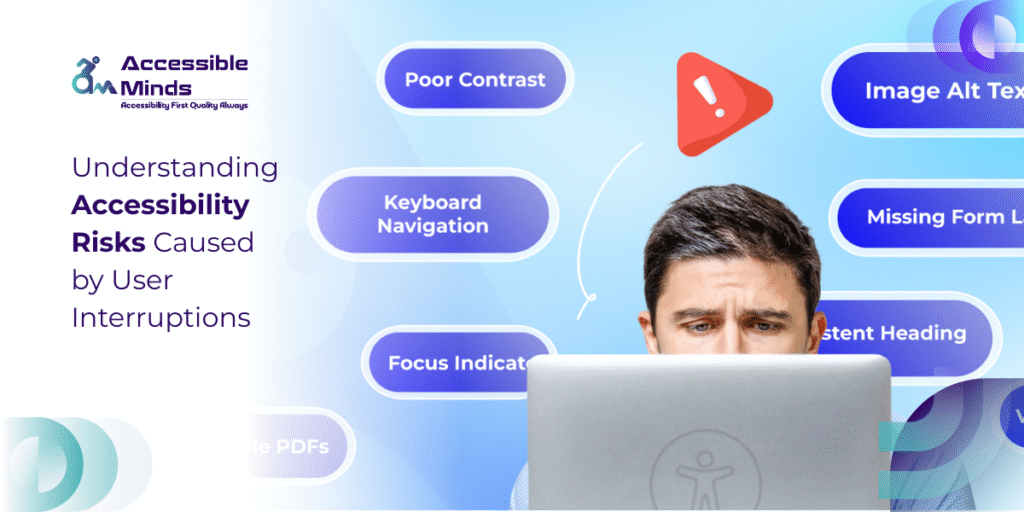
Modern web applications rely heavily on dynamic interaction notifications, pop-ups, session timeouts, auto-refreshing content, and interactive forms. While these features are designed to improve user engagement, they can introduce significant accessibility risks when they interrupt a user’s workflow. For individuals using assistive technologies such as screen readers, voice navigation, or keyboard-only interfaces, unexpected interruptions can break navigation flow and prevent successful task completion.
Understanding how user interruptions affect accessibility is essential for developers, designers, and organizations committed to building inclusive digital experiences.
What Are User Interruptions in Web Interfaces?
User interruptions refer to events that disrupt the normal interaction flow on a webpage. These interruptions may include:
- Modal dialogs or pop-up windows
- Automatic page refreshes
- Time-limited forms or sessions
- Notifications that capture focus
- Dynamic content updates without warning
While such elements can be useful for communicating information, they can also disrupt assistive technology workflows. Screen readers, for instance, process content sequentially, meaning unexpected interface changes may cause users to lose context or miss critical information.
Why Interruptions Create Accessibility Risks
For many users with disabilities, navigation relies on predictable structure and stable interfaces. Interruptions that change the focus or structure of a page without warning can lead to confusion or loss of control.
Recent accessibility data highlights the scale of the problem. Studies show that 96.3% of the top one million homepages contain detectable WCAG accessibility failures, indicating that many websites still struggle with inclusive design practices. ()
In addition, screen reader users frequently encounter unlabeled form elements and inconsistent navigation structures across websites, which further complicates interactions when interruptions occur during task completion. ()
For example, if a pop-up notification appears while a screen reader user is filling out a form, it may unexpectedly shift keyboard focus to another interface element. Without proper ARIA roles or focus management, the user may not even know where they are on the page anymore.
Common Accessibility Failures Related to Interruptions
Several technical patterns often contribute to interruption-related accessibility issues:
1. Improper Focus Management
When modal windows or alerts appear, developers must ensure keyboard focus moves logically to the new element and returns to the previous location once the interaction ends. Without proper focus management, keyboard-only users may become trapped or disoriented.
2. Automatic Timeouts
Time-limited sessions or forms can cause major problems for users who rely on assistive technologies, which often require more time to complete tasks. If users are logged out unexpectedly or their data is erased, the experience becomes frustrating and exclusionary.
3. Dynamic Content Without Announcements
Many modern web interfaces update content dynamically using JavaScript frameworks. If these updates are not communicated using ARIA live regions, screen readers may fail to detect the change.
4. Notification Overload
Frequent alerts or pop-ups can interrupt navigation repeatedly, preventing users from maintaining a consistent workflow.
Accessibility guidelines such as WCAG recommend that developers provide warnings, allow users to control time limits, and ensure dynamic updates are properly announced.
The Technical Impact on Assistive Technologies
Interruptions affect assistive technologies differently depending on how the interface is implemented.
Screen readers rely on semantic HTML structure, headings, and landmarks to help users navigate content efficiently. However, accessibility reports indicate that nearly 70% of pages contain unlabeled form elements, which significantly reduces usability for screen reader users. ()
Similarly, issues such as missing alternative text, low-contrast text, and poorly structured headings continue to appear across millions of websites, making accessibility challenges even more severe when interruptions occur during navigation. ()
When interruptions occur in already complex interfaces, the risk of confusion increases dramatically.
Designing for Predictable User Experiences
Developers can reduce accessibility risks by implementing predictable interaction patterns. Some effective strategies include:
- Using semantic HTML elements whenever possible
- Managing keyboard focus during modal interactions
- Allowing users to extend or disable session time limits
- Implementing ARIA live regions for dynamic updates
- Avoiding auto-refreshing content unless necessary
Testing with real assistive technologies is equally important. Automated tools typically detect only 30–40% of accessibility issues, meaning manual testing remains essential for identifying interaction-based barriers. ()
Organizations that invest in Web Accessibility services can identify usability gaps during development and ensure compliance with evolving standards.
The Role of Accessibility Expertise
Achieving accessible design requires both technical expertise and continuous evaluation. Companies such as Accessible Minds LLC and Accessible Minds Baltic SIA work with organizations to identify risks in digital interfaces, perform accessibility audits, and guide development teams in implementing inclusive design strategies.
By addressing interruption-related accessibility risks early in the design process, organizations can prevent costly redesigns and improve user experience for millions of people with disabilities.
Building Inclusive Digital Experiences
User interruptions are a common feature of modern web design, but without careful implementation they can create serious accessibility barriers. From unexpected pop-ups to automatic session timeouts, interruptions often break the structured navigation that assistive technology users rely on.
Designing predictable, accessible interactions ensures that all users regardless of ability can complete tasks confidently and efficiently. As digital platforms continue to evolve, prioritizing accessibility is no longer optional; it is a fundamental requirement for inclusive technology.