
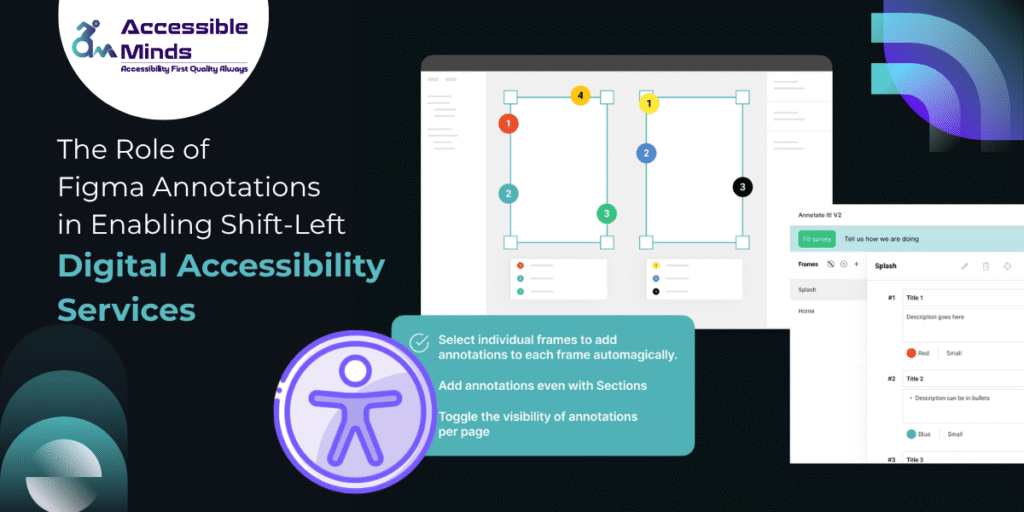
In modern product development, accessibility is no longer a post-release checkbox, it is a fundamental requirement. Organizations striving to deliver inclusive user experiences are increasingly adopting shift-left practices, embedding accessibility considerations early in the design and development lifecycle. One powerful yet often underutilized mechanism in this transformation is the use of annotations in Figma. When used effectively, Figma annotations can significantly enhance the delivery of digital accessibility services, ensuring accessibility is designed not retrofitted.
Understanding Shift-Left Accessibility
The shift-left approach refers to moving critical activities such as testing, validation, and compliance earlier in the product lifecycle. In the context of digital accessibility services, this means identifying and addressing accessibility issues during the design phase rather than during development or after deployment.
Traditionally, accessibility reviews happen late, often resulting in costly redesigns, delayed releases, or non-compliant products. By shifting accessibility considerations left, teams can:
- Reduce rework and remediation costs
- Improve collaboration between designers, developers, and accessibility experts
- Deliver inclusive experiences faster
However, achieving this requires tools and workflows that support early, clear, and actionable communication and that’s where Figma annotations come into play.
What Are Figma Annotations?
Figma annotations are structured notes, labels, and documentation elements embedded directly within design files. They can include:
- Accessibility requirements (e.g., color contrast ratios, ARIA roles)
- Interaction behaviors (keyboard navigation, focus states)
- Semantic guidance (heading hierarchy, landmark regions)
- Assistive technology considerations
Unlike external documentation, annotations live alongside the design, making them context-rich and immediately visible to all stakeholders.
Bridging the Gap Between Design and Development
One of the biggest challenges in digital accessibility services is the disconnect between design intent and implementation. Designers may create visually appealing interfaces, but without explicit accessibility guidance, developers are left to interpret requirements often inconsistently.
Figma annotations act as a bridge:
- Clarity for Developers: Annotated designs provide precise instructions on accessibility behaviors, reducing ambiguity.
- Consistency Across Teams: Standardized annotation patterns ensure uniform implementation across components and screens.
- Reduced Dependency on Documentation: Instead of switching between tools, teams can access all relevant information within the design file.
For example, a button component can include annotations specifying minimum touch target size, focus indicators, and screen reader labels ensuring accessibility is baked into the component from the start.
Enabling Scalable Design Systems
Design systems are central to scaling digital accessibility services across large organizations. Figma annotations enhance design systems by embedding accessibility metadata directly into reusable components.
Benefits include:
- Reusable Accessibility Standards: Once annotated, components carry accessibility requirements wherever they are used.
- Faster Onboarding: New team members can quickly understand accessibility expectations through annotated components.
- Automated Handoffs: Developers receive consistent accessibility instructions without needing separate audits.
By integrating annotations into design systems, organizations create a single source of truth for accessibility, aligning design and engineering efforts.
Supporting Collaboration Across Roles
Accessibility is a shared responsibility involving designers, developers, QA engineers, and accessibility specialists. Figma annotations facilitate this collaboration by providing a common language and reference point.
- Designers can document intent and constraints
- Accessibility experts can review and validate requirements early
- Developers can implement with confidence
- QA teams can test against clearly defined criteria
This collaborative approach strengthens digital accessibility services by ensuring accessibility is not siloed but integrated into every stage of product development.
Reducing Compliance Risks
Regulatory frameworks such as WCAG, ADA, and EN 301 549 impose strict accessibility requirements. Late-stage compliance checks often uncover critical issues that delay releases or expose organizations to legal risks.
Figma annotations mitigate these risks by:
- Embedding compliance requirements directly into design artifacts
- Enabling early validation by accessibility experts
- Providing traceability for accessibility decisions
When accessibility requirements are documented upfront, teams can proactively address compliance, rather than reactively fixing issues.
Enhancing Developer Efficiency
From a developer’s perspective, unclear or missing accessibility requirements can lead to guesswork, rework, and inefficiencies. Annotated Figma designs streamline development workflows by providing:
- Explicit keyboard interaction patterns
- Defined focus management rules
- Clear semantic structure guidance
This reduces back-and-forth communication and accelerates implementation, making digital accessibility services more efficient and cost-effective.
Integrating with Accessibility Tooling
Figma annotations can also complement automated accessibility tools and plugins. While tools can identify issues such as color contrast or missing labels, annotations provide the why and how behind accessibility decisions.
For instance:
- A plugin may flag insufficient contrast
- An annotation can specify the approved color palette and usage rules
This combination of automation and human insight creates a robust framework for delivering high-quality digital accessibility services.
Best Practices for Effective Figma Annotations
To maximize impact, teams should adopt structured annotation practices:
- Standardize Annotation Formats: Use consistent templates for accessibility notes
- Prioritize Critical Elements: Focus on interactive components and key user flows
- Keep Annotations Concise: Provide actionable guidance without overwhelming detail
- Align with WCAG Guidelines: Ensure annotations map to recognized standards
- Regularly Review and Update: Keep annotations up to date with evolving requirements
The Future of Accessibility-Driven Design
As organizations mature in their accessibility journeys, the role of design tools like Figma will continue to expand. Annotations are evolving from simple notes to structured, machine-readable metadata that can integrate with development pipelines, testing frameworks, and compliance tools.
In this future, digital accessibility services will be deeply embedded into the design-to-development workflow, with annotations serving as a critical enabler of this transformation.
Conclusion
Figma annotations are more than just documentation; they are a strategic asset in enabling shift-left accessibility practices. By embedding accessibility requirements directly into design artifacts, teams can bridge gaps, reduce risks, and deliver inclusive experiences at scale.
For organizations investing in digital accessibility services, leveraging Figma annotations is a practical and powerful step toward building accessibility into the DNA of their products right from the start.