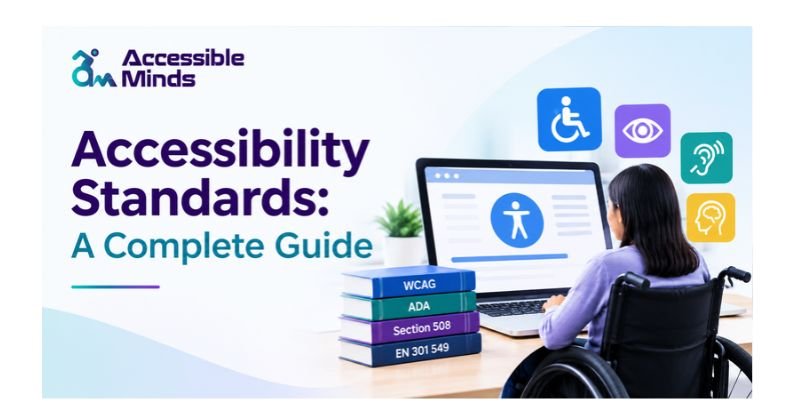
Digital experiences should be accessible to everyone, regardless of their abilities. Whether someone is browsing a website, completing an online form, watching a video, or using a mobile application, they should be able to access information and complete tasks without unnecessary barriers. This is why Accessibility Standards play an essential role in modern website design, software development, and digital communication.
These standards provide practical guidance for creating digital products that work for people with visual, hearing, motor, cognitive, and other disabilities. They also help businesses improve usability, strengthen digital inclusion, and build better experiences for a wider audience.
In this guide, we explore the major accessibility standards, the importance of WCAG compliance, practical implementation techniques, and how Accessible Minds can help organizations move toward more inclusive digital experiences.
What Are Accessibility Standards?
Accessibility standards consist of recommendations, regulations, and guidelines aimed to ensure that websites and applications are usable by disabled persons. Accessibility standards deal with the most commonly occurring issues – not providing descriptions of images, using poor color contrast, developing forms that can’t be filled by disabled persons, developing web pages that are difficult to navigate.
Thus, a user with a screen reader has to be enabled to comprehend the meaning of all the images and accessible elements of navigation provided by a website, while someone who cannot work with a mouse should also be enabled to use the menus and complete the forms through the keyboard.
Why Are Accessibility Standards Important?
Accessibility is not simply a technical consideration. It affects how people interact with businesses, educational institutions, healthcare providers, and public services.
1. Improve Digital Inclusion
Digital services can be used more independently if the website is accessible. An accessible website design means clear navigation, content that is descriptive, captions that explain content and controls that are easily used via the keyboard.
2. Enhance User Experience
Lots of website accessibility design choices improve the user experience for everyone. Some of these design choices are using easily readable text and having logical and well organized web pages. Another great choice is providing easy to understand directions and instructions on the web page. Having a consistent way to navigate web pages is also very helpful. These design choices are especially important on smaller devices such as mobile phones.
3. Support Legal and Regulatory Compliance
Different parties involved have diverse accessibility regulations and technical specifications. Organizations may have to comply with relevant laws and guidelines applicable to creation of websites and apps and providing the digital services. Being aware of the commonly accepted accessibility standards enables organizations to benchmark their digital properties against them. However, it should be noted that using an accessibility standard does not guarantee compliance with the law.
4. Strengthen SEO and Content Discoverability
Accessibility and search engine optimization share a number of similar concepts. It is known that accessible design is characterized by such features as descriptive headings, relevant image alt text, appropriate link text, and the logical arrangement of contents of a web page so as to help both the user and the search engine understand it.
What Are the Main Digital Accessibility Standards?
Several frameworks help organizations establish and evaluate accessibility requirements. The right approach depends on the digital product, applicable regulations, and audience.
Web Content Accessibility Guidelines (WCAG)
WCAG, which stands for Web Content Accessibility Guidelines, is an internationally recognized standard for digital accessibility created by the W3C (World Wide Web Consortium).
The best option when beginning new accessibility work would be WCAG 2.2 as it was developed from earlier WCAG versions and includes recent enhancements as well as built upon previous standards that were focused on various elements including but not limited to pixel targeting, drag and drop features, focus management, etc.
There are four general areas of requirement within WCAG: Perceivable, Operable, Understandable, and Robust. Additionally, there are three distinct levels of compliance with WCAG: A, AA, and AAA.
Even though many companies use WCAG level AA as the goal to achieve while being compliant with WCAG, the final level will depend on the laws accepted in chosen countries and the workings of organizations that will comply with their own rules and regulations.
Section 508
Section 508 of the Rehabilitation Act applies to the accessibility of all digital communications technologies used by federal agencies in the United States. As such, it is particularly relevant to the websites of federal entities, as well as digital content and many software applications. Companies that do business with federal agencies must determine which of the Section 508 standards are applicable to the products they offer.
EN 301 549
The EN 301 549 European standard specifies how information and communication technology (ICT) can be made accessible. It includes guidelines on how to make web pages, software programs, electronic files and similar types of digital content available to individuals who may have difficulty accessing such content. Organizations planning to do business in the European Union should determine whether the standards established by EN 301 549 align with the relevant accessibility laws in effect.
ISO/IEC 40500
The international standard ISO/IEC 40500 is associated with WCAG 2.2 and serves as a recognized standard on web accessibility criteria to help organizations with accessibility implementation. Although the two standards are related, the two should not be used in all legal contexts. Companies must determine which regulations they need to adhere to.
Understanding the Four Principles of WCAG
The four WCAG principles provide the foundation for implementing effective Accessibility Standards. They help designers, developers, and content teams identify the requirements of an accessible digital experience.
1. Perceivable
Information should be conveyed in ways that allow it to be understood by the users. Images should include captions wherever necessary. The video content should have captions, and the text should have sufficient contrast in colors.
For instance, an e-commerce site cannot use colors as the only method of informing its customers about the existence of a certain product. Thus, labels like “In stock” and “Out of stock” would be beneficial for those customers who cannot identify colors.
2. Operable
The functions of a website should be operable in various ways. It is important that people can navigate through websites by using keyboards, as well as focusing on the page elements and menus without relying on a mouse alone.
3. Understandable
The user interface needs to have clearly defined content and function predictably. It is also important that you use relevant titles, simple language, and provide a logical flow throughout your website when users complete forms. If users make mistakes, they need to know exactly what those mistakes were and how to correct them.
4. Robust
Digital content should function properly on all types of browsers, devices, and assistive technology. When digital content uses semantic HTML and has appropriately tagged form control/interface components, screen reader users can hear the information contained within the website. By using these practices, digital experiences will become more flexible as new technologies emerge.
How to Implement Accessibility Standards on Your Website
Achieving accessibility involves implementing a combination of content practices, technical improvements, and regular testing. Here is a starting point for those looking to begin the process.
Conduct an Accessibility Audit
Start by reviewing important sections of your website, including navigation menus, forms, downloadable files, and interactive elements. Automation tools will assist in identifying most of your accessibility issues, however, there are many issues that must be discovered through manual testing. Test how accessible your site is on both a desktop computer and a mobile device to identify possible barriers for users.
Improve Keyboard Navigation
Check to see if users can complete their tasks with only their keyboard. Verify the order of your website’s navigation, focus indicator, drop-down menus, dialog boxes, and controls used within forms. Make sure the user has a way to identify where the keyboard focus is located and that it doesn’t get obscured by sticky headers, pop-ups, or other elements of the user interface.
Optimize Images, Videos, and Content
Use the right type of alt text for images that illustrate key concepts, but don’t add alt text to decorative images. All videos with audio must include captions; and you must provide a transcript of each video, or some other way to access what was said in the video, upon request. Use clear titles and links to make sure readers know where they are going and can see how your pages relate to one another, without having to look at anything else to determine how your pages connect.
Check Color Contrast and Readability
WCAG 2.2 Level AA requires a minimum of 4.5:1 contrast ratio for normal text and 3:1 for large text, although there may be exceptions to this rule depending upon what is being displayed. Use legible font choices, create clear headings with a consistent structure, and avoid relying solely on color to convey important information.
Test Forms and Interactive Elements
It is necessary for each form field to include a label that can be easily understood. The messages that will inform the users of any issues while filling in the form should also be handled correctly. The buttons must have a distinct purpose, while the interactive elements need to feature perfect states.
Combine Automated and Manual Testing
Automated scanners are capable of identifying different technical issues, but lack reliability when it comes to deciding if all the image descriptions make sense or if a given workflow is understandable.
Automated checks can be complemented by keyboard tests, screen reader assessments, and consultations with disabled individuals. Carry out these checks every time the website undergoes considerable changes.
How Accessible Minds Supports Digital Accessibility
Accessible Minds puts a big emphasis on building digital experiences that are truly inclusive, easy to use and accessible to people with disabilities – because they’re not just your average users, after all.
Organisations looking to improve can use our expertise and guidance to really drill down on the problem areas – identify the barriers, get up to speed on what they need to do, and figure out where to focus their efforts to get the biggest improvements in their websites and digital products.
When it comes to making real progress on accessibility, though, you need more than just a quick tidy-up of isolated technical issues – you need to take a step back and look at the whole picture, from the moment someone finds out about you to when they’re done with what they needed to do.
Companies that are looking to get into accessibility improvements can use the Accessible Minds resource network to pick up some best practice tips, get a better handle on the kind of digital barriers they should be worried about, and develop a more systematic approach to testing and fixing accessibility issues.
We’re not just talking about sorting out the problems after the fact, either – the real goal is to get accessibility built into the way you design and develop stuff right from the start.
Common Accessibility Standards Mistakes to Avoid
Organisations often make the mistake of thinking that just installing an accessibility widget or running an automated scanner will magically make their whole website accessible – but in reality neither of these things is a guarantee of conformance.
Some other quite common mistakes include using images without properly providing alternative text, making links with vague text that doesn’t tell the user what they’re clicking on, overlooking the fact that keyboard accessibility is a thing, and creating forms without labels or clear error messages.
Another very frequent problem is treating accessibility as a one-off project that once you’ve ticked the box you can move on – but websites are constantly changing, with new content being added, third party integrations being thrown in, and designs being updated – all of which can introduce new barriers.
The most reliable approach is to commit to an ongoing accessibility process that includes regularly testing your site, fixing up any problems that come to light, keeping track of what you’ve done and why, and regularly reviewing how things are going.
Conclusion
Accessibility standards provide a strong basis for creating digital products that most people will be able to operate independently and with ease. Frameworks such as WCAG 2.2, Section 508, EN 301 549 and ISO/IEC 40500 offer businesses a clear understanding of what accessibility means to their organization and provide a framework for developing actionable strategies.
Companies can begin to remove the digital barriers to users by combining design that is intuitive, code that is functional, copy that is concise, and continuous tracking of progress toward goals. With the support of Accessible Minds and appropriate tools, companies can proceed toward inclusive design with a full understanding of the benefits of integrating accessibility into their future digital strategies
Frequently Asked Questions (FAQs)
1. What are Accessibility Standards?
Accessibility Standards are guidelines and technical requirements that help make websites, applications, documents, and digital services usable by people with disabilities.
2. What is the most widely used web accessibility standard?
The Web Content Accessibility Guidelines (WCAG), developed by W3C, are among the most widely used web accessibility standards. WCAG 2.2 is the recommended version for new accessibility work.
3. What are the four principles of WCAG?
The four principles are Perceivable, Operable, Understandable, and Robust (POUR). They provide the foundation for designing accessible digital experiences.