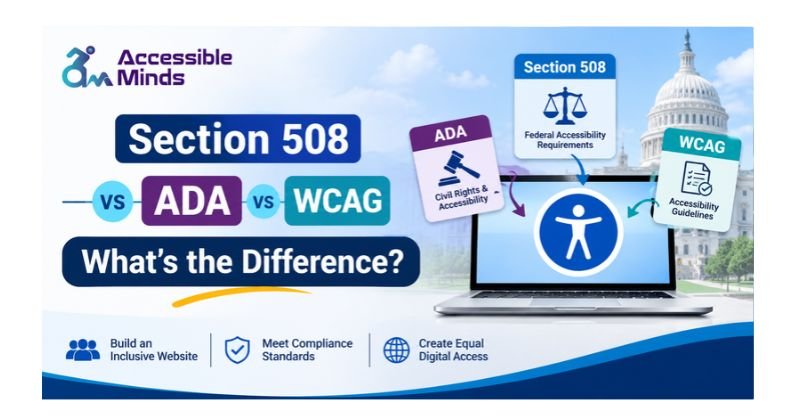
Digital accessibility awareness is growing across the web development industry. Businesses, government agencies, and nonprofits are increasingly recognizing the importance of creating inclusive websites and digital tools. Understanding Section 508 vs ADA vs WCAG helps organizations identify different accessibility requirements and guidelines for making digital experiences accessible to people with disabilities.
Negative experiences with inaccessible online tools can prevent individuals from accessing essential information, products, and services, highlighting the need for inclusive digital solutions.
Three key standards referenced in digital accessibility discussions are Section 508‚ the Americans with Disabilities Act‚ and the Web Content Accessibility Guidelines․ These three digital accessibility standards share some common goals and can be used together but differ in other ways and have different rules․
Information about differences between Section 508 and ADA and WCAG compliance requirements may be useful to businesses‚ including identifying accessibility responsibilities and making informed decisions about website design‚ development‚ and testing․
What Is Section 508 Compliance?
Section 508 of the U․S․ Rehabilitation Act of 1973‚ established in 1973‚ helps people with disabilities access government information and services at the federal level in the United States․ Section 508 requires federal agencies to make their electronic technology accessible to people with disabilities so they can access government information and services․
The law impacts all sorts of covered digital stuff – like government websites, software, documents, platforms & other tech systems that US federal agencies use, develop, buy or take care of.
By the way, the law was updated with some new “Revised Section 508 Standards”. They were designed to deal with the modern challenges of digital accessibility. These new standards incorporate the same success criteria as the WCAG 2.0 Level A & AA guidelines (for websites, software & electronic content) and add some extra requirements on top of that.
Who Must Follow Section 508 Standards?
Generally, Section 508 caters to only the federal agencies and their relevant ICT practices. In purchasing, developing, using, or maintaining the digital products, federal agencies need to address the accessibility issues. Also, the technology providers or suppliers partnering up with federal agencies need to take into account Section 508 while offering services and products. For instance, if a firm is creating a website, a software platform, or an electronic document system for a federal agency, it needs to show that its product complies with the required accessibility standards.
Key Section 508 Accessibility Requirements
Some important Section 508 requirements include:
- Screen reader support – The site should also have accessibility features available for blind/visually impaired users.
- Keyboard accessibility – The website should allow users to navigate using only the keyboard.
- Accessible file formats – The site must use MS Word or Adobe PDF format or any other electronic file type.
- Alternatives for images – The website content should provide easily understandable information contained in images.
Following these requirements helps federal agencies provide more inclusive digital services.
What Is ADA Compliance?
The Americans with Disabilities Act (ADA) is a civil rights legislation that intends to restrict discrimination based on disabilities. The main idea behind the act is to provide equal access and opportunities in the fields of employment, public services, transport, and public areas.
As digital services became prevalent in daily life, it became necessary to focus on website and application accessibility. An inaccessible website may actually present challenges for people with disabilities in terms of receiving information, ordering a service, or using a useful digital tool.
Who Needs to Follow ADA Requirements?
The ADA contains different titles that apply to different organizations.
Title II: State and Local Governments
Title II covers state and local governments. In order to provide their services and programs to everyone including people with disabilities, digital services should also be made accessible.
Title III: Businesses and Public Accommodations
Title III aims at any business or organization that falls under the criteria of public accommodation. Firms should ensure that persons with disabilities can use the services, merchandise, and facilities they offer and that all online services are also functional in this regard.
For example, a website of a hotel should provide people with disabilities all necessary information regarding booking and allow them to complete the process and make the reservation without having to face any hindrance.
Important ADA Website Accessibility Requirements
Although specific requirements depend on the applicable ADA provisions, organizations should focus on:
- Making navigation of online resources and content easier to use.
- Enabling the use of websites’ online forms with relevant technology.
- Supporting web browsers that are limited to using keyboards only.
- Providing captions for necessary videos.
- Achieving proper contrast between text and its background.
For organizations covered by ADA Title II, the Department of Justice has established specific technical requirements based on WCAG 2.1 Level AA.
What Are WCAG Guidelines?
The Web Content Accessibility Guidelines (WCAG) are internationally recognized technical standards developed by the World Wide Web Consortium (W3C). WCAG, as opposed to the ADA and Section 508, is not a federal law. Nevertheless, the guidelines provide specific standards for web developers, designers, content creators, and companies to use to make digital content accessible for everyone.
WCAG is relevant to websites, internet applications, and digital content in general. The guidelines cover the major challenges experienced by people with different types of disabilities, including visual, hearing, and mobility impairment, as well as speech and mental disabilities.
Companies use WCAG in order to evaluate how their products meet accessibility requirements and get in touch with clients more effectively.
Understanding the Four WCAG Principles (POUR)
WCAG is based on four fundamental principles known as POUR.
1. Perceivable
Components and content must be easy for users to identify and understand. Images, for instance, should have descriptive text, and videos should include captions when necessary.
2. Operable
Website functionality must be usable through different input methods. Keyboard navigation is particularly important for people who cannot operate a mouse.
3. Understandable
Website information and functionality should be clear and predictable. Consistent navigation, understandable instructions, and helpful form error messages improve usability.
4. Robust
Digital content should work reliably with different browsers, devices, and assistive technologies, including screen readers.
Understanding WCAG Conformance Levels
WCAG 2.0 proposes 3 various degrees of compliance:
- Level A: Is the basic level of compliance.
- Level AA: Specifies more exacting requirements that make the site more accessible to larger groups.
- Level AAA: Is the highest level of compliance.
It is important to be aware of WCAG 2.1 and WCAG 2.2 as two WPAG versions. It is necessary to check that the corresponding WCAG version is being used by the company for the particular laws and/or accessibility goals.
Section 508 vs ADA vs WCAG: Key Differences
Although Section 508, ADA, and WCAG support digital accessibility, they serve different purposes. Understanding these differences helps organizations choose appropriate accessibility practices.
Here is a comparison of their major characteristics:
Section 508 vs WCAG: How Are They Different?
There is a key difference between Section 508 and WCAG, and that is their purpose and legal standing.
Section 508 defines accessibility for the covered federal ICT. On the other hand, WCAG suggests technical principles that organizations can follow to produce accessible websites and digital content.
The Revised Section 508 Standards adopt WCAG 2.0 Level A and Level AA guidelines; however, Section 508 has additional requirements of software, hardware, and documentation.
That is why it is essential to follow the WCAG guidelines to be compliant with Section 508, but the organizations should also look through the additional Section 508 requirements.
ADA vs WCAG: What Should Businesses Know?
The Americans with Disabilities Act and the Web Content Accessibility Guidelines are related but not synonymous terms.
While the ADA creates the legal requirement of avoiding discrimination against people with disabilities and enabling equal access, WCAG is a set of technical criteria that businesses can use to discover problems with digital accessibility.
For example, an organization may aim for WCAG 2.2 AA compliance for its website. However, compliance with WCAG does not guarantee compliance with all relevant ADA requirements.
How Are Section 508, ADA, and WCAG Similar?
Regardless of their distinctive features, all three frameworks aim for a common goal which is to make the virtual environments user-friendly for disabled people. All three encourage organizations to eliminate barriers to access to information, using digital tools and engaging in online activities.
- Helping individuals with various disabilities.
- Enhancing the compatibility of assistive devices.
- Making it simple to comprehend digital materials.
- Providing assistance in navigating websites.
- Facilitating access to information and services on the internet.
- Promoting universal digital experiences.
- Implementing accessibility practices benefits not only people with disabilities but also users who experience temporary limitations, changing environments, or different technology needs.
Which Accessibility Standard Should Your Organization Follow?
The appropriate accessibility framework depends on your organization’s structure, activities, and legal responsibilities.
For Federal Government Agencies
Federal agencies must follow applicable Section 508 requirements when developing, procuring, maintaining, or using covered ICT.
This includes considering accessibility across websites, software, electronic documents, and other digital technologies.
For State and Local Governments
State and local government entities are subject to ADA Title II. The DOJ’s web accessibility rule specifies WCAG 2.1 Level AA for covered web content and mobile applications.
Following the April 2026 extension, the compliance dates are:
- April 26, 2027: Public entities with populations of 50,000 or more.
- April 26, 2028: Public entities with populations below 50,000 and special district governments.
These dates apply to the covered entities under the Title II web accessibility rule.
For Private Businesses
Private businesses should consider their obligations under ADA Title III and other applicable laws. WCAG provides a practical technical framework for identifying and improving website accessibility.
Organizations can begin by reviewing their websites, identifying accessibility barriers, and implementing appropriate improvements.
How to Improve Website Accessibility and Maintain Compliance
Improving website accessibility isn’t just about tagging on a few extra technical bits – it needs to become a core part of how your organisation approaches website development and maintenance.
Conduct a Website Accessibility Audit
Start by doing a comprehensive website accessibility audit to track down problems that are making life difficult for people with disabilities. You can use automated scanning tools to pick up on some of the obvious issues, but manual evaluations will help you root out some of the more tricky usability obstacles.
Follow WCAG Accessibility Guidelines
When it comes to making improvements, use the WCAG success criteria as a guide. Focus on things like alt text for images, getting your colour scheme right, making sure it’s easy to navigate with just a keyboard, getting your forms sorted, and laying out your content in a way that makes sense.
Test Websites With Assistive Technologies
But it’s not just about the tech – you should also be trying the website out using assistive technologies, and having a bash at navigating just using a keyboard. And if you’re lucky, you can even get people with disabilities to test it out and give you a real sense of what the experience is like.
Monitor Accessibility Regularly
Accessibility cannot be viewed merely as a one-off endeavor. Newly created web pages, plugins, documents, and changes to the website may bring along fresh challenges to accessibility. Routine checks, content assessments, and continuous developments enable businesses to offer more accessible web services.
Accessible Minds renders assistance to companies in comprehending the nuances of digital accessibility and enhancing the accessibility of their websites.
Conclusion: Understanding Section 508 vs ADA vs WCAG
Understanding the difference between Section 508, the ADA and WCAG is a must for any organisation wanting to do its part for digital accessibility. Section 508 lays the ground rules for federal ICT in the US, the ADA is there to prevent disability discrimination and WCAG provides the technical lowdown on how to make your digital experiences accessible to all.
You’d think these frameworks are worlds apart, but really they all point in the same direction – making the internet more accessible to people with disabilities. The key to success is to figure out which ones apply to you, get your website checked out and then make accessibility a top priority – not just something you do once and forget about.
With a solid accessibility strategy in place and access to resources like Accessible Minds, you can build websites and digital products that are genuinely inclusive and user-friendly.
Frequently Asked Questions (FAQs)
1. What is the main difference between Section 508, ADA, and WCAG?
Section 508 establishes accessibility requirements for covered federal ICT, the ADA protects individuals with disabilities from discrimination, and WCAG provides technical guidelines for making digital content accessible.
2. Is Section 508 compliance mandatory?
Yes. Section 508 applies to covered federal agencies and their information and communication technology activities. Applicable requirements also affect vendors and contractors supplying covered ICT to federal agencies.
3. Does ADA require WCAG compliance?
ADA obligations require equal access for people with disabilities. The DOJ’s Title II web accessibility rule specifically adopts WCAG 2.1 Level AA for covered state and local government web content and mobile applications.
4. Is WCAG 2.1 AA required for ADA compliance?
WCAG 2.1 Level AA is the technical standard specified by the ADA Title II web accessibility rule. ADA Title III does not have an equivalent DOJ technical web accessibility regulation establishing WCAG 2.1 AA as a universal requirement.
5. Can a website be WCAG compliant but not ADA compliant?
Yes. WCAG conformance addresses technical accessibility criteria, but ADA compliance also involves broader legal obligations. Meeting WCAG requirements does not automatically satisfy every applicable ADA responsibility.
6. Which is better for website accessibility: Section 508 or WCAG?
Neither is universally better because they serve different purposes. Section 508 establishes requirements for covered federal ICT, while WCAG provides technical guidelines for improving digital accessibility.
7. How can I check whether my website meets accessibility standards?
You can evaluate your website using automated accessibility scanning, manual testing, keyboard navigation checks, screen reader testing, and a comprehensive accessibility audit.